
Write and approve SOPs, build a template for each assay, and add both to the experiments that use them.









Lab SOP management and experiment templates for research labs
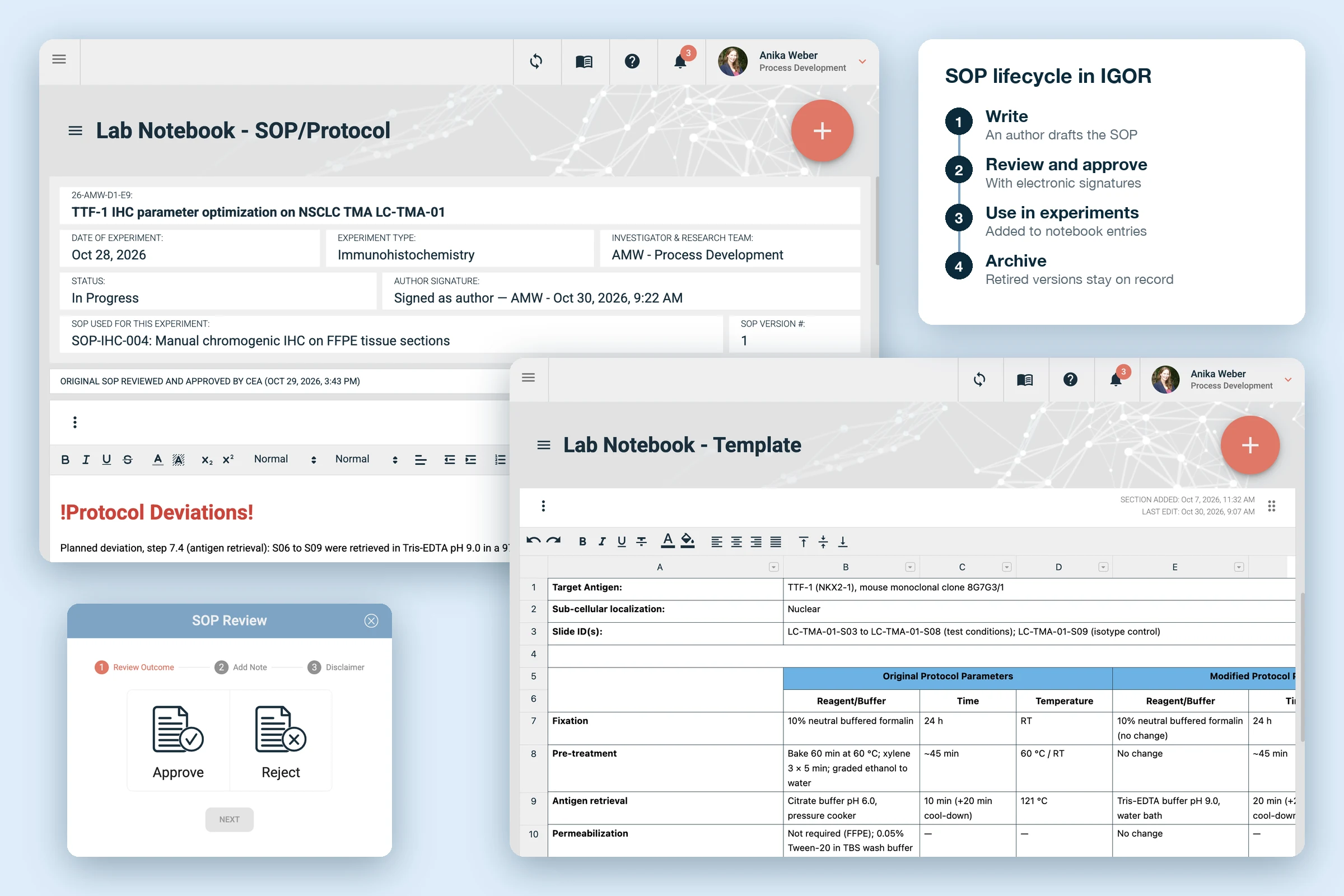
IGOR handles lab SOP management and experiment templates in the same platform as your electronic lab notebook. The SOP sets out how to run the assay, the template sets out what to record, and both become part of the notebook entry you add them to. Scientists record the run's data right in the template, and because the entry keeps its own copy of the SOP, they can document protocol deviations as they work without altering the master SOP.

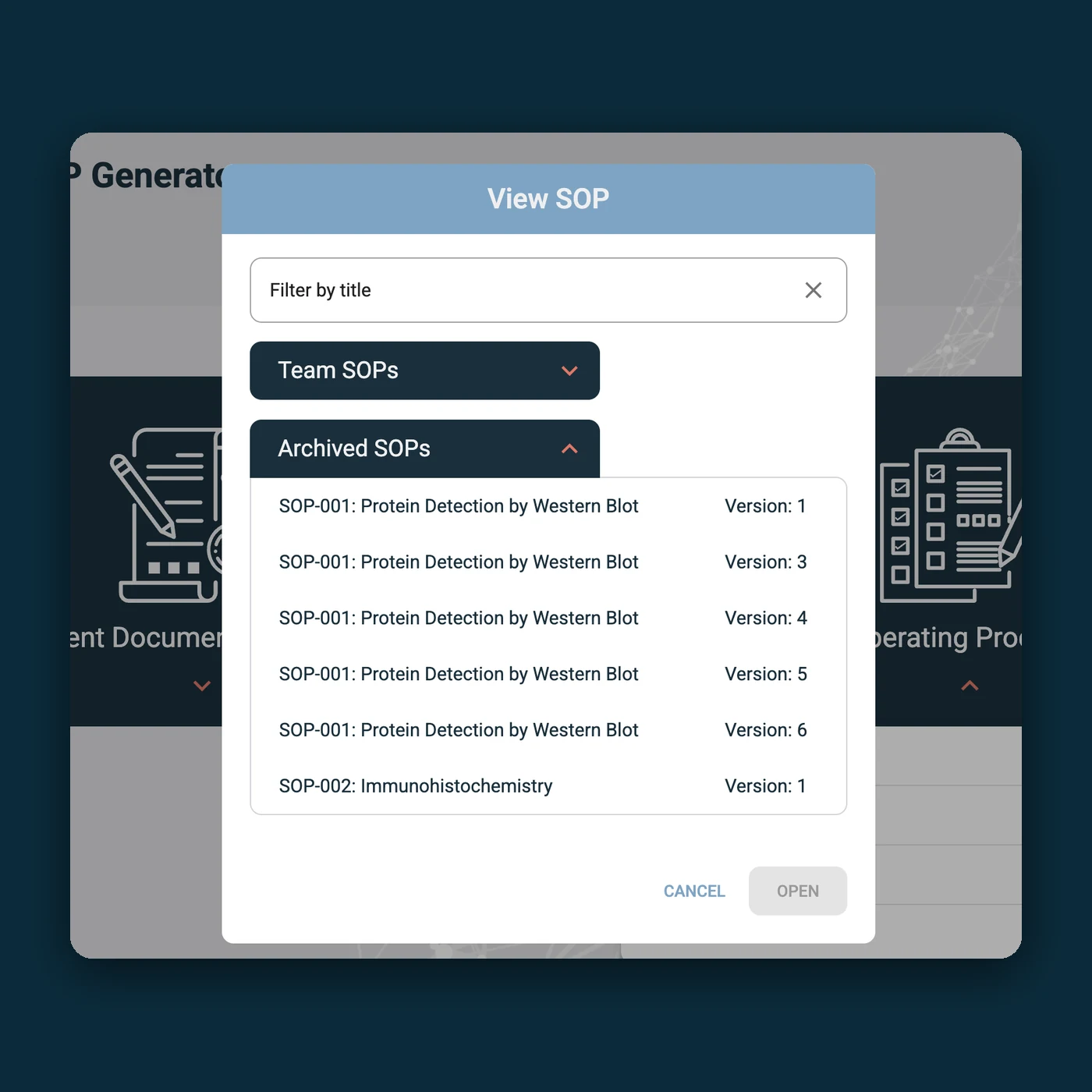
Each SOP is approved with electronic signatures and carries a version number. When you retire it, IGOR archives it, so every SOP your lab has issued stays on hand.

A template for each assay keeps data capture consistent across the team, and scientists adapt it themselves as methods evolve, without coding knowledge or vendor support.
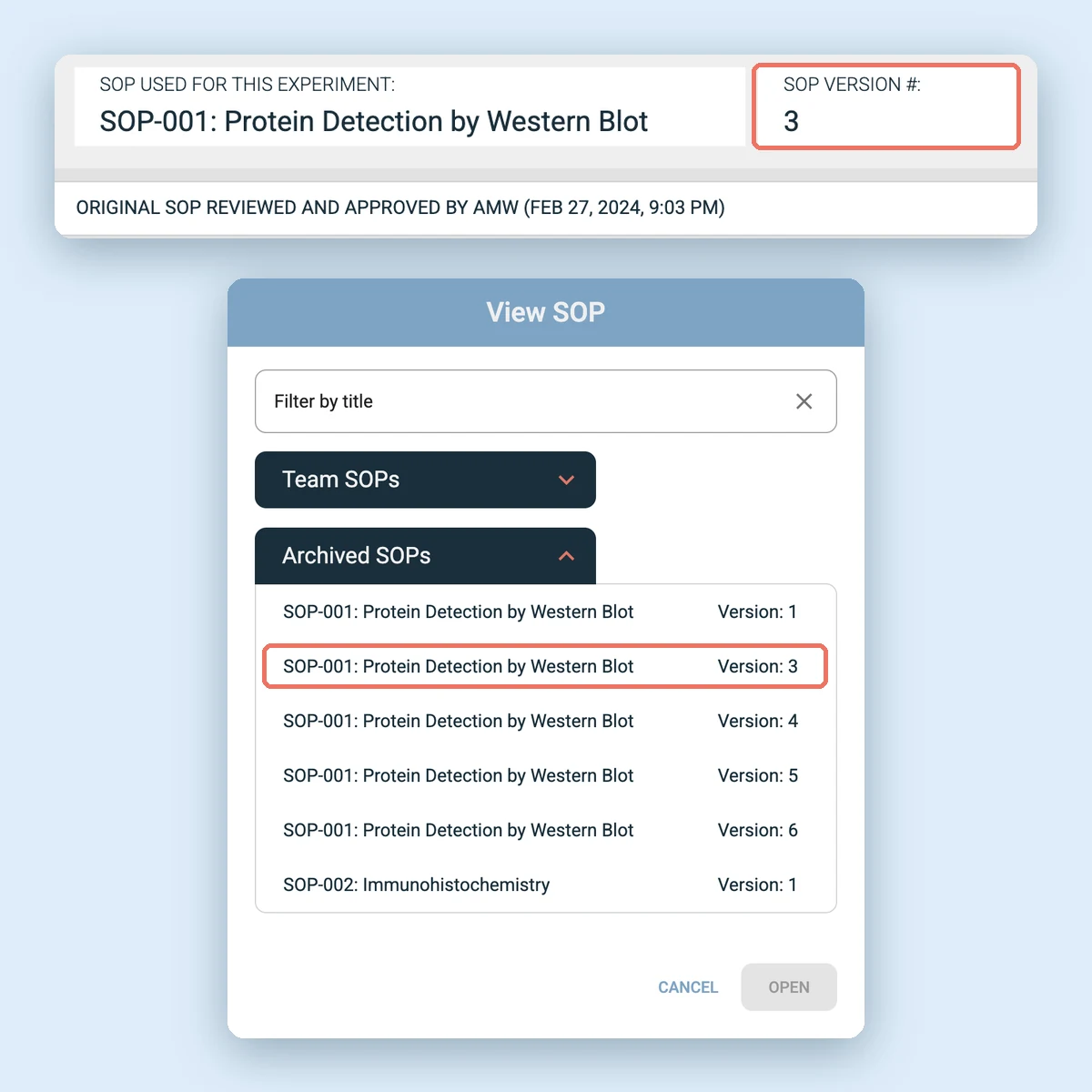
Each SOP in IGOR carries a version number. When a method changes, the author issues a new version, and the old one moves to the archive instead of being deleted. So for every SOP, you can see:

Which version is current.
Which version each experiment followed.
Who approved each version, and when.
Every version your lab has retired.
If your lab runs studies under GLP, the archive gives you the historical file of SOPs and revisions that the regulations call for.
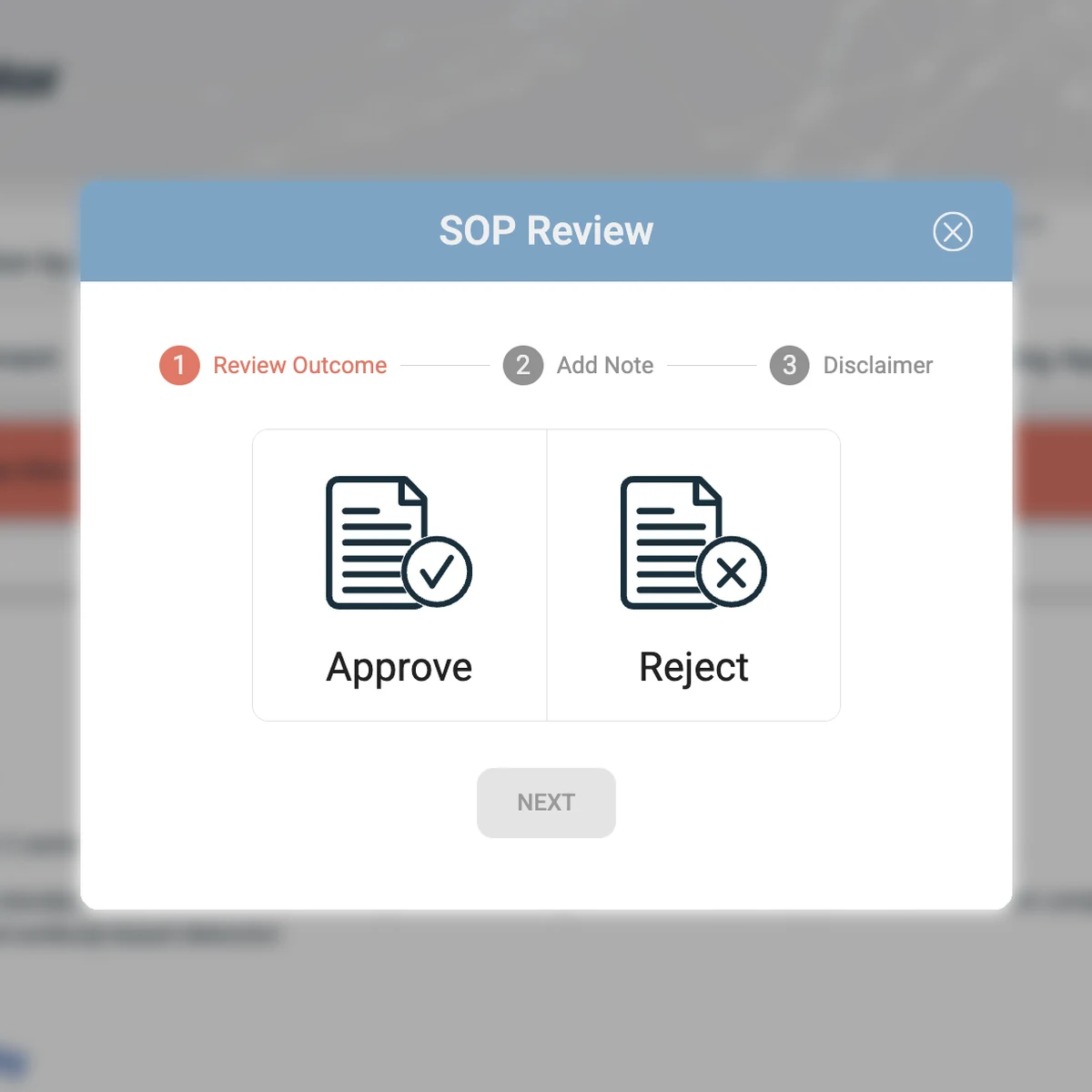
Once an SOP is finalized, the author invites reviewers to approve it or request revisions with comments. Every decision is signed electronically and recorded in the audit trail. Only approved, shared SOPs can be added to experiments, so nobody runs an assay from a draft.
Electronic signatures compliant with 21 CFR Part 11. Each approval or rejection is signed and time-stamped in the SOP’s audit trail.
A note with every rejection. Reviewers can explain what needs to change, so the author knows exactly what to revise.
The approval travels with the SOP. PDF exports carry the approval history in the header, and each notebook entry shows which version was used, who approved the original SOP, and when.
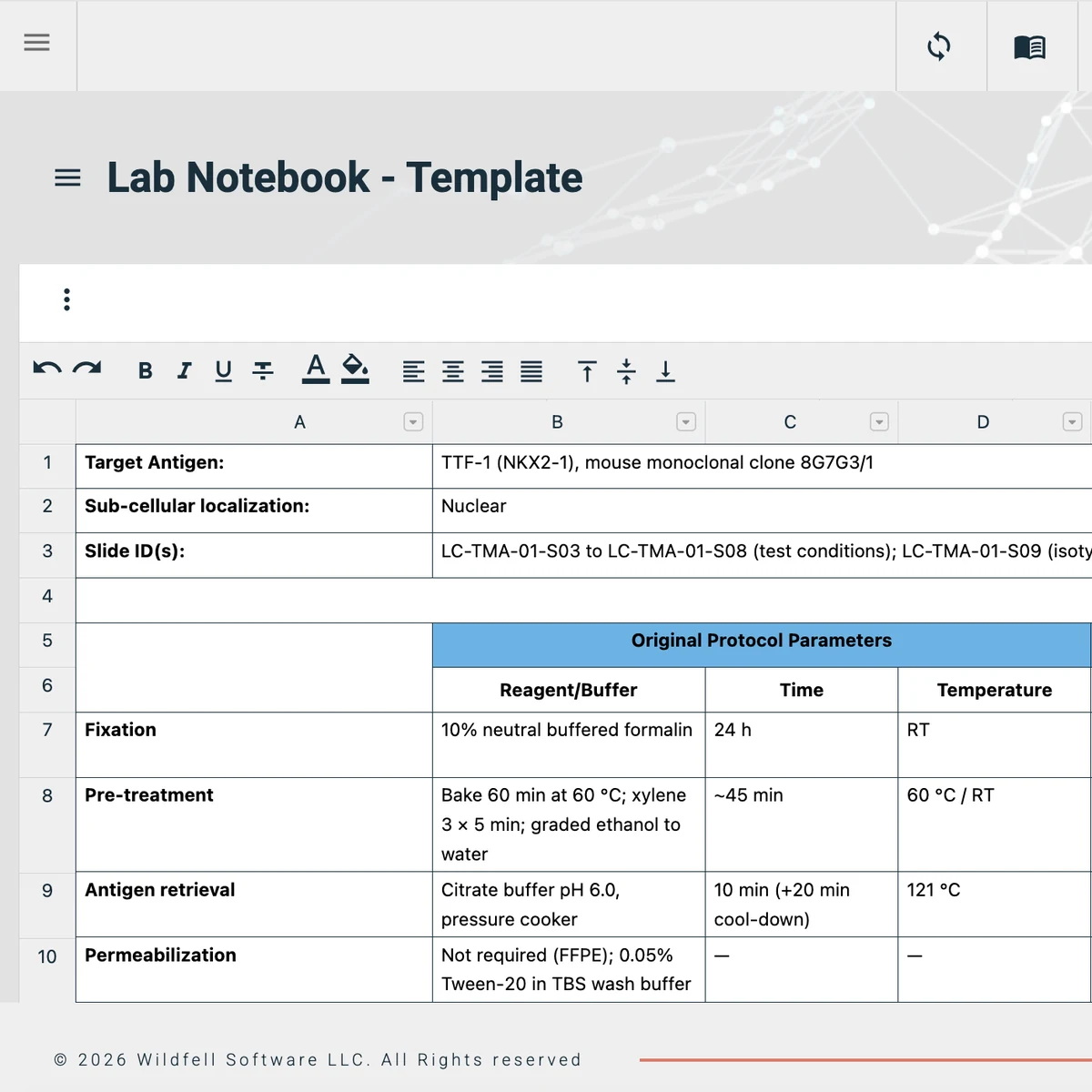
Most lab assays are run routinely, often by several people, and every run means writing out the same protocol steps and rebuilding the same data tables. In IGOR, scientists can start from the approved SOP and the assay’s experiment template, so they only need to document what’s new.
Templates for any assay or workflow. Your team captures the same information, the same way, every time the assay is run.
Calculations built into the table. Add formulas to template tables and lock those cells, so dilutions calculate as people enter concentrations and nobody overwrites the formula by accident.
Less than half the time spent documenting. That's what customers report for routine experiments once they switch to experiment templates in IGOR.
Most assays run in stages, and an IGOR template can follow that structure, with a separate tab for sample preparation, each processing step and the final analysis.

Open straight to the template. Set it as the entry's default view, so scientists land straight on the table they need to fill in.
Build and change templates yourself. Add sections and tables with a few clicks, and update the template whenever your workflow changes, without writing code or relying on vendor support.
Retire outdated templates. Archive a template when the method changes, so nobody starts a new experiment from an old version.
Export the whole template as one report. Download a single formatted PDF with your logo, every step and all the recorded data, ready to send to a client or collaborator.
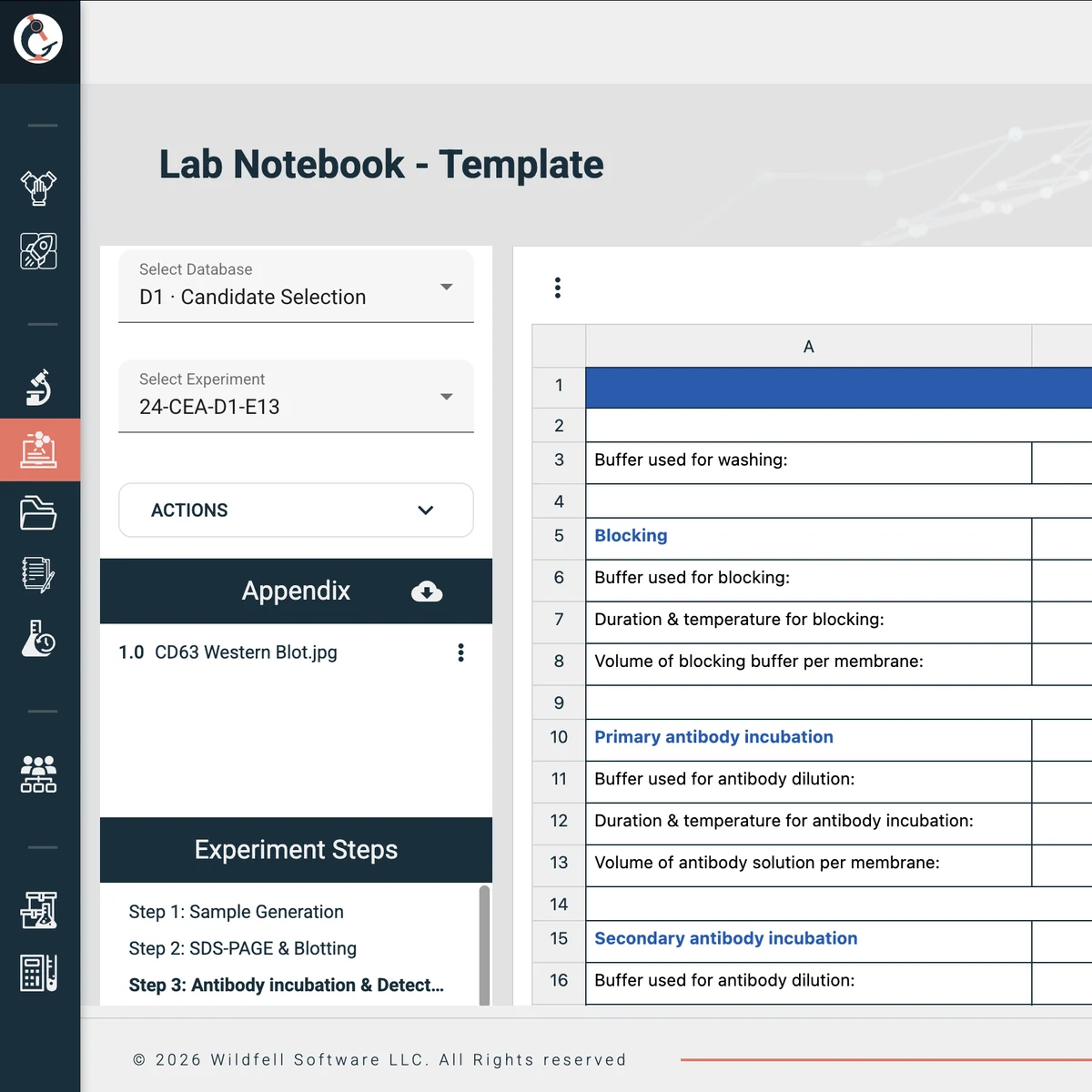
Pick your type of lab to see how teams like yours use SOPs and templates in IGOR.
The need
Keep methods consistent while assays are still being optimized.
In IGOR
Only approved SOPs can be added to an experiment.
Each experiment records the SOP version it followed.
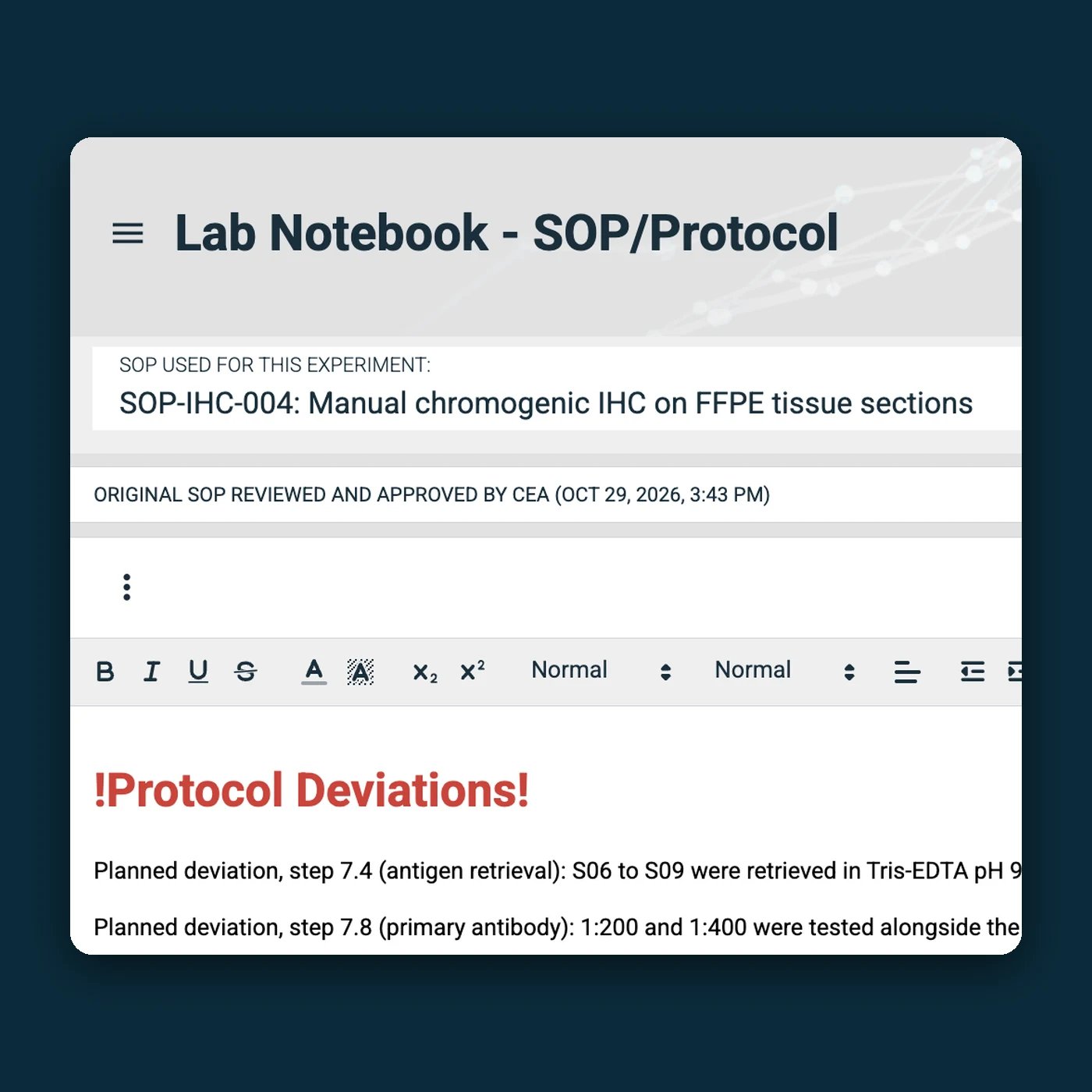
Deviations are written into the experiment’s own copy of the SOP.
The need
Run every test the same way, every time, and be able to show it.
In IGOR
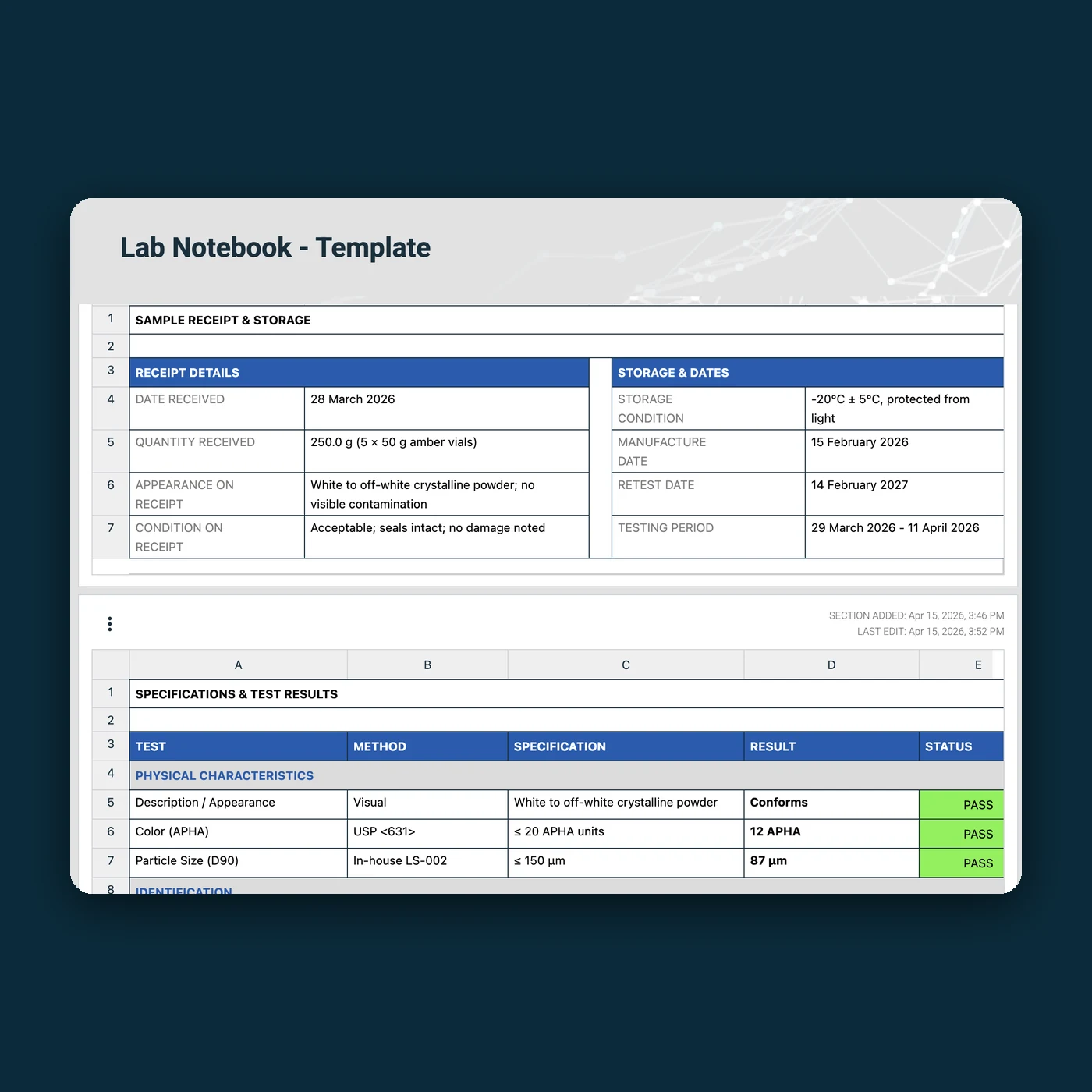
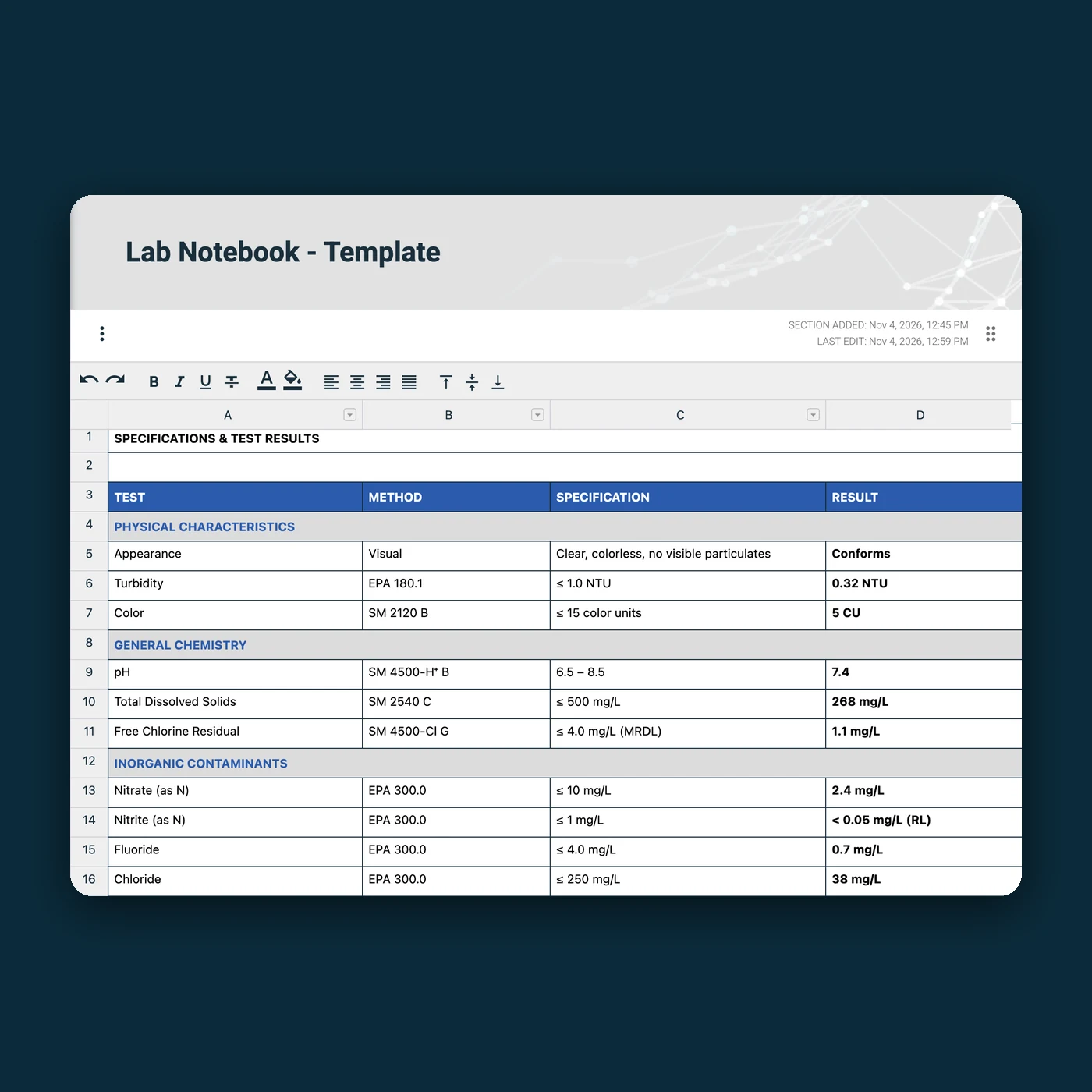
Templates hold each test's specification, so every result is recorded against its acceptance criteria.
Template tables with formulas and locked cells keep calculations consistent.
SOPs are approved with electronic signatures compliant with 21 CFR Part 11.
The need
Run each test method the same way across analysts, and show which method a result came from.
In IGOR
Each test method gets an approved SOP and a template for recording results.
Every result links to the method version it was run under.
Retired methods stay in the archive for audits and client queries.
The need
Follow each sponsor’s methods and hand over complete records, often under GLP.
In IGOR
Set up a separate, access-controlled area for each sponsor, with the SOPs and templates that sponsor’s studies follow.
A full experiment exports as one package, with the SOP, template and data, to share with the sponsor.
For studies conducted under GLP, the archive keeps every SOP revision on record.
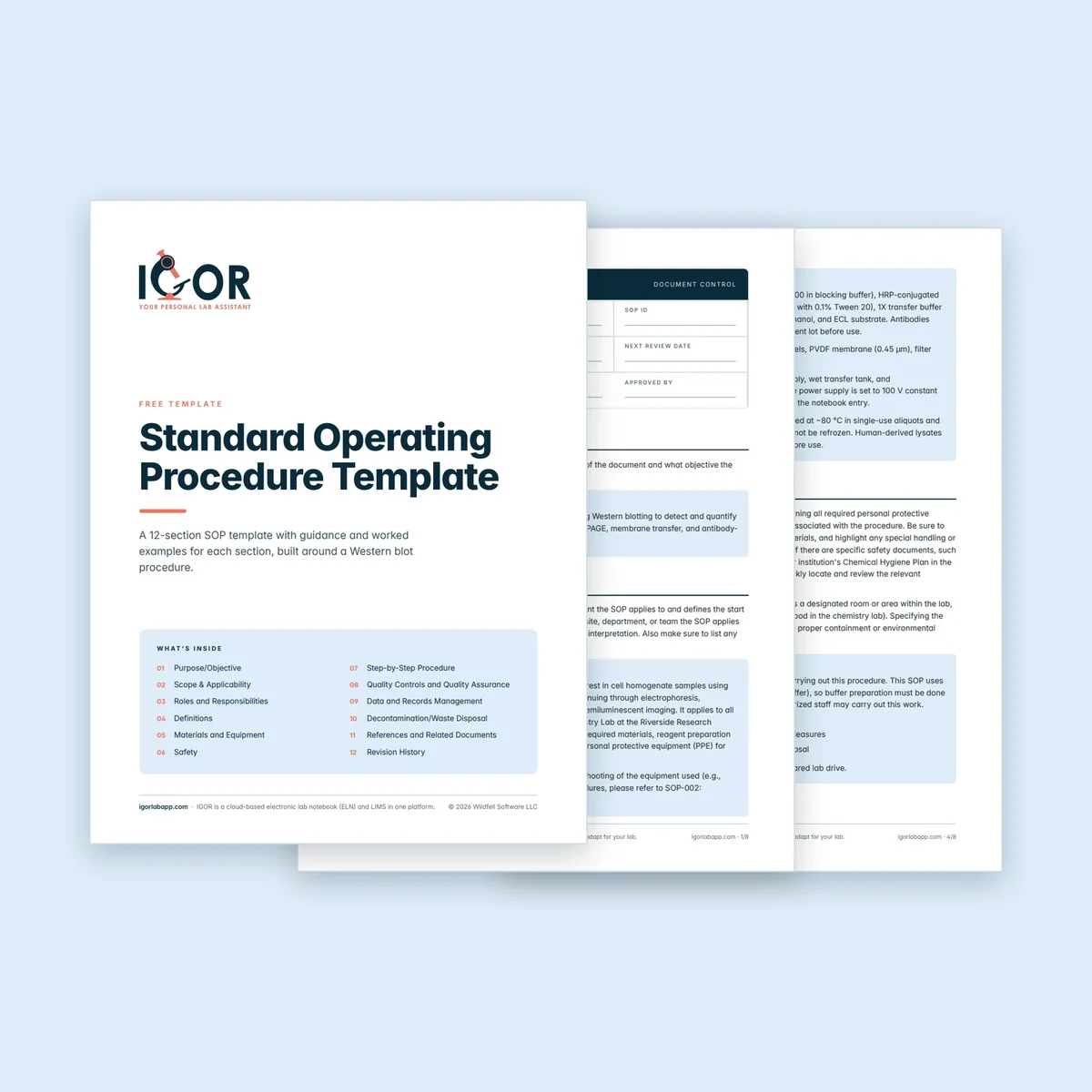
The IGOR team put together a PDF with the 12 sections most lab SOPs need, from purpose and scope to revision history. It's free to use and adapt for your lab.

Materials and safety Sections for reagents, consumables, equipment, PPE and hazards.

Quality controls Space for controls, calibration, acceptance criteria and corrective actions.

Roles and definitions A roles and responsibilities table, plus definitions in alphabetical order.

Revision history A table for the date, version, change, author and reason behind every revision.

Most labs already have SOPs as Word files or PDFs on a shared drive, and data sheets in Excel. Moving them into IGOR is quick: paste the text of each SOP into IGOR, and import your Excel tables straight into a template.
During onboarding, IGOR’s team helps you decide which SOPs and templates to bring over first and shows your team how to set them up, so you can move the rest at your own pace.
With IGOR, most teams are up and running within days or a couple of weeks, depending on team size and how much data they want to migrate before go-live.
Included in every plan
Help planning which SOPs to bring over first
Personal onboarding, delivered in several sessions over several days
Ongoing support
In IGOR, the notebook entry tells you. Book a personal demo and we’ll walk an SOP from first draft to approval and into an experiment, then talk through how it fits your team’s workflows.

“We can document experiments and SOPs quickly and with minimal effort, which has drastically cut down the time spent on administrative tasks and given us more time to focus on experiments and data analysis.”
John Curd, CEO, Peptimatrix Ltd
SOP Management
How to write, organize and manage lab SOPs, from first draft to review.
Read article ›

Lab Software Guides
How to move paper records and SOPs into an ELN or LIMS, from platform choice to go-live.
Read article ›
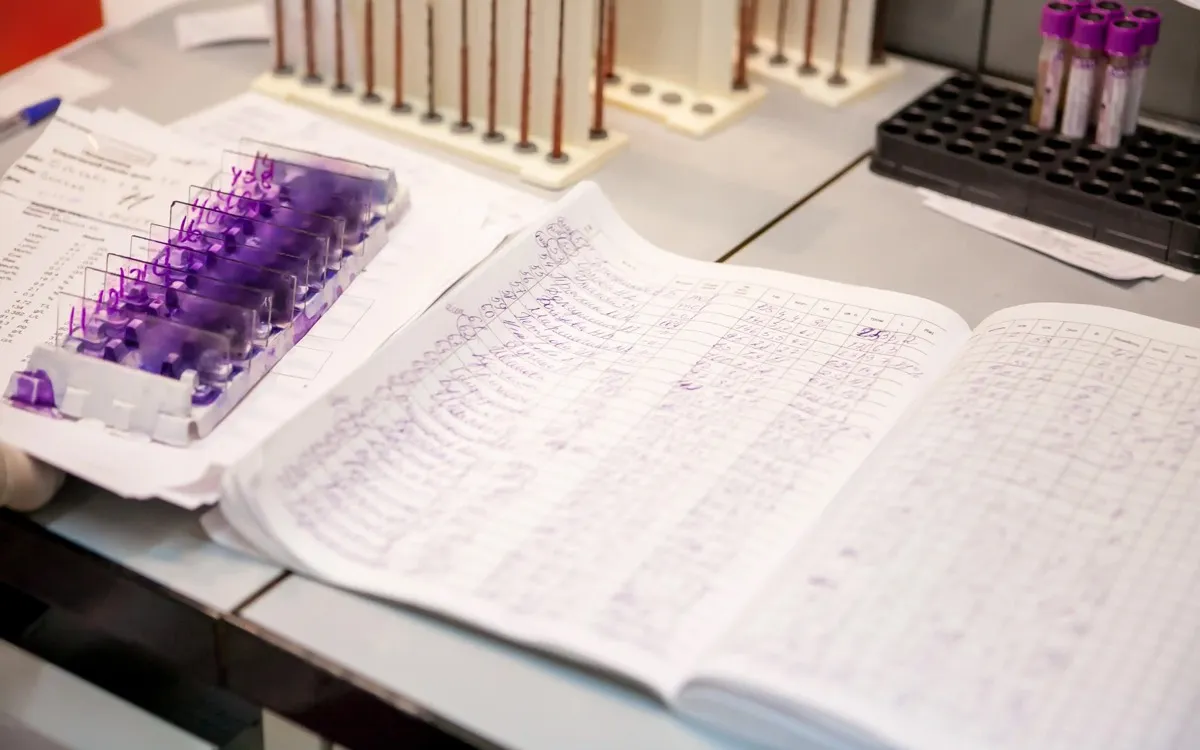
Research Workflows & Documentation
What to write in a lab notebook, and how to keep it organized and reproducible.
Read article ›
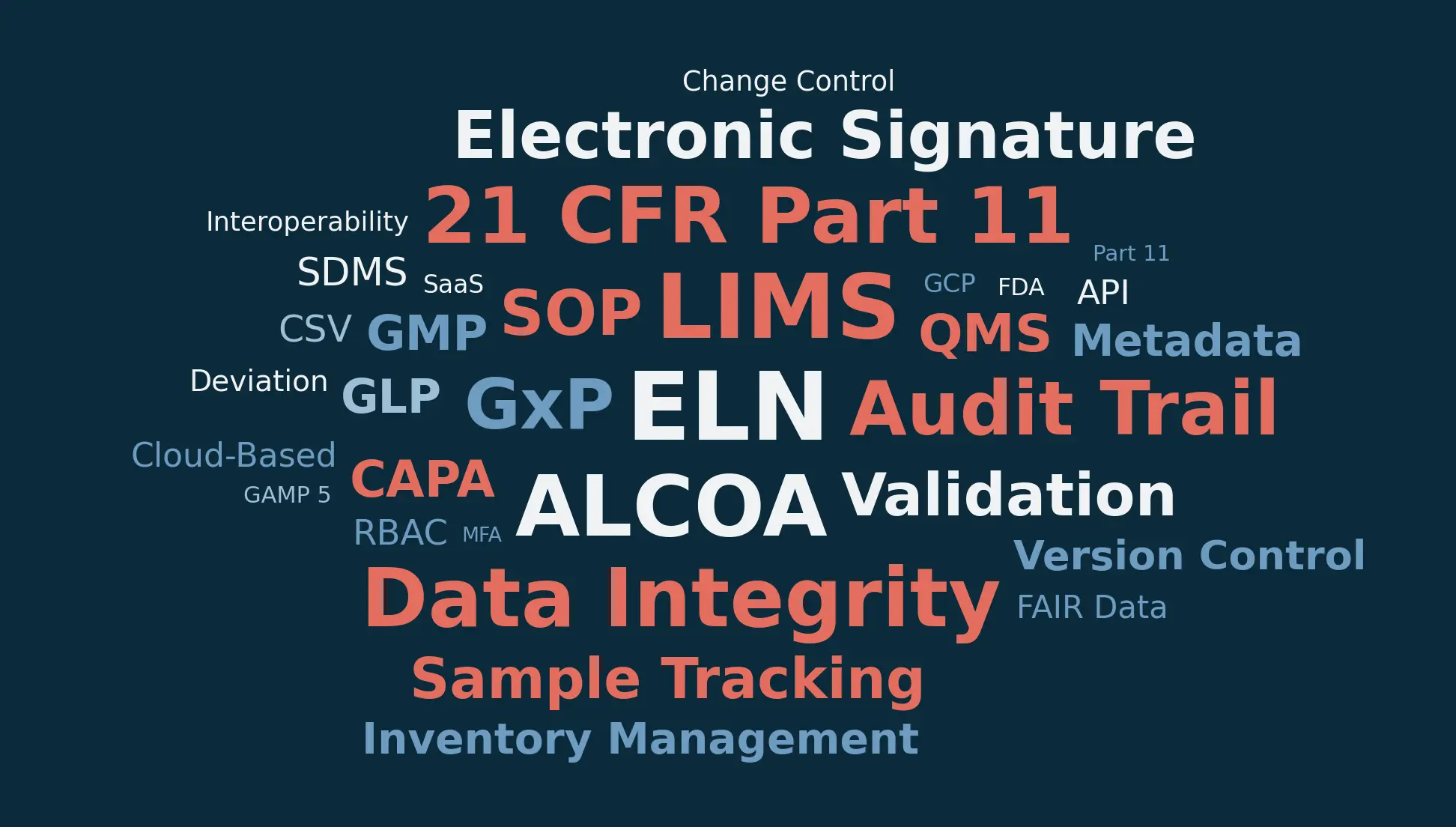
Lab Software Guides
Plain definitions of 100+ ELN, LIMS and lab compliance terms.
Read article ›
Lab SOP management is how a lab writes, reviews, approves, shares, versions and retires its standard operating procedures, so that everyone runs an assay from the current approved method. In many labs, SOPs live as Word files on a shared drive, and keeping track of which version is current gets harder over time, especially when several teams or departments use the same procedure. A system for lab SOP management keeps one approved version of each SOP in circulation, records who approved it and when, and keeps the older versions on file. In IGOR, SOP management sits in the same platform as the electronic lab notebook, so an approved SOP can be added straight to the experiment that follows it. The notebook entry then shows which version the scientist used, and who approved it and when. Older versions stay in IGOR’s archive, so they’re available whenever an audit calls for them.

IGOR handles SOPs and experiment templates in the same platform as its electronic lab notebook (ELN) and LIMS. An SOP sets out how to run an assay, and a template sets out what to record, often with a separate step for each stage of the procedure. SOPs go through review and approval with electronic signatures before they can be used, and templates are signed and shared by their author. When a scientist starts an experiment, they add the approved SOP and the assay's template to the notebook entry, and IGOR gives the entry its own versioned copy of each. The scientist records the run's data in the template and notes any deviation in the entry's copy of the SOP, while the master documents stay unchanged. Each copy keeps its own version history, and the full experiment, with the SOP, the template, the data, and any linked files, can be exported as one package.
An SOP describes, in detail, how to perform a procedure: its purpose, the materials and equipment, the safety requirements, the steps and the quality controls. An experiment template describes what to record when the procedure is run, such as sample details, measured concentrations, reagent lots, instrument settings, and incubation times. The two work together. A lab might have one SOP for a Western blot and a template that walks the scientist through sample preparation, the gel run and transfer, antibody incubation and detection, with one or more tables for each stage that show exactly what to record. In IGOR, both are added to the notebook entry for the experiment. The SOP is the reference for how the work should be done, and the template is where the data from that particular run is recorded. Because SOPs are controlled documents, they go through review and approval with electronic signatures, while templates are signed and shared by the person who builds them.
When an SOP is ready, the author invites reviewers to look at it. Each reviewer either approves the SOP or sends it back with a note explaining what needs to change, and every decision is signed with an electronic signature compliant with 21 CFR Part 11 and recorded in the audit trail. Your organization decides how many approvals an SOP needs before it can be shared. Only approved, shared SOPs can be added to experiments, so nobody runs an assay from a draft. Once approved, the approval history stays with the SOP: PDF exports carry it in the header, and each notebook entry that uses the SOP shows which version was followed and who approved it.
Every SOP in IGOR carries a version number. When a method changes, the author issues a new version, and the previous one moves to the archive instead of being deleted. Shared SOPs can't be deleted, only archived, so the lab keeps a record of every version it has issued. Archived versions are taken out of circulation and can no longer be added to new experiments, to prevent scientists from accidentally following an outdated procedure. Experiments that already used an older version keep their own copy of it, so each notebook entry still shows exactly which version the scientist followed. For any SOP, you can see which version is current, which version each experiment used, who approved each version and when, and every version your lab has retired. If someone asks two years from now which method any given experiment followed, the information is available right in the notebook entry.
Yes. When an SOP is added to a notebook entry, IGOR gives the entry its own working copy of it. If something has to change during the run, for example a longer incubation or a different type of blocking buffer, the scientist records the deviation in the entry's copy of the SOP as they work. The master SOP stays exactly as it was approved, so the next person to run the assay starts from the approved method. The entry's copy keeps its own version history, so anyone reviewing the experiment later can see what was changed, by whom and when. Reviewers and QA get a clear record of where a run departed from the procedure, and nobody has to edit, re-approve or reissue the SOP itself. Experiment templates work the same way: edits in an entry's template stay with that experiment, and the master template is never altered.
For studies conducted under GLP, the regulations (21 CFR Part 58 in the US, and the OECD Principles of GLP) call for written SOPs approved by management and a historical file of every SOP and all its revisions. IGOR supports that work. SOPs go through review and approval with electronic signatures compliant with 21 CFR Part 11, each version carries a number, and older versions move to the archive instead of being deleted, so the lab keeps every version it has issued on record. Each notebook entry shows which SOP version the experiment followed. Whether your studies meet GLP requirements depends on your lab's own procedures, training, validation and quality assurance, which IGOR supports but doesn't replace. For non-regulated research, the same features are good practice, because they make it easy to show which method a result came from.
Yes. Easily copy/paste the contents of each existing SOP into IGOR, import your Excel tables straight into templates, and send each SOP through review and approval. It then starts out in IGOR as an approved, versioned document, ready to be added to experiments. Most labs begin with the SOPs and templates for the assays they run every week and bring the rest over as they go, which means the team can start using IGOR before the whole library has moved. IGOR’s team helps you plan which documents to move first and shows your team how to set them up, as part of personal onboarding. With IGOR, most teams are up and running within days or a couple of weeks, depending on team size and how much data they want to migrate before go-live. Onboarding and ongoing support are included in every plan at no extra cost.
SOP management, including review and approval with electronic signatures, version control and archiving, is included in IGOR's Professional and Momentum plans. Professional ($80 per user per month, billed annually) is the complete electronic lab notebook. Momentum ($100 per user per month, billed annually) adds lab inventory management with LIMS capabilities. Monthly billing is available at 20% more, with no setup fees and no seat minimums. You can compare the plans on the Pricing page.


