IGOR gives scientists total control of their lab inventory - from customizable repositories and mapped storage locations to complete sample history and relationship tracking - all seamlessly connected to your experiments through IGOR’s ELN.
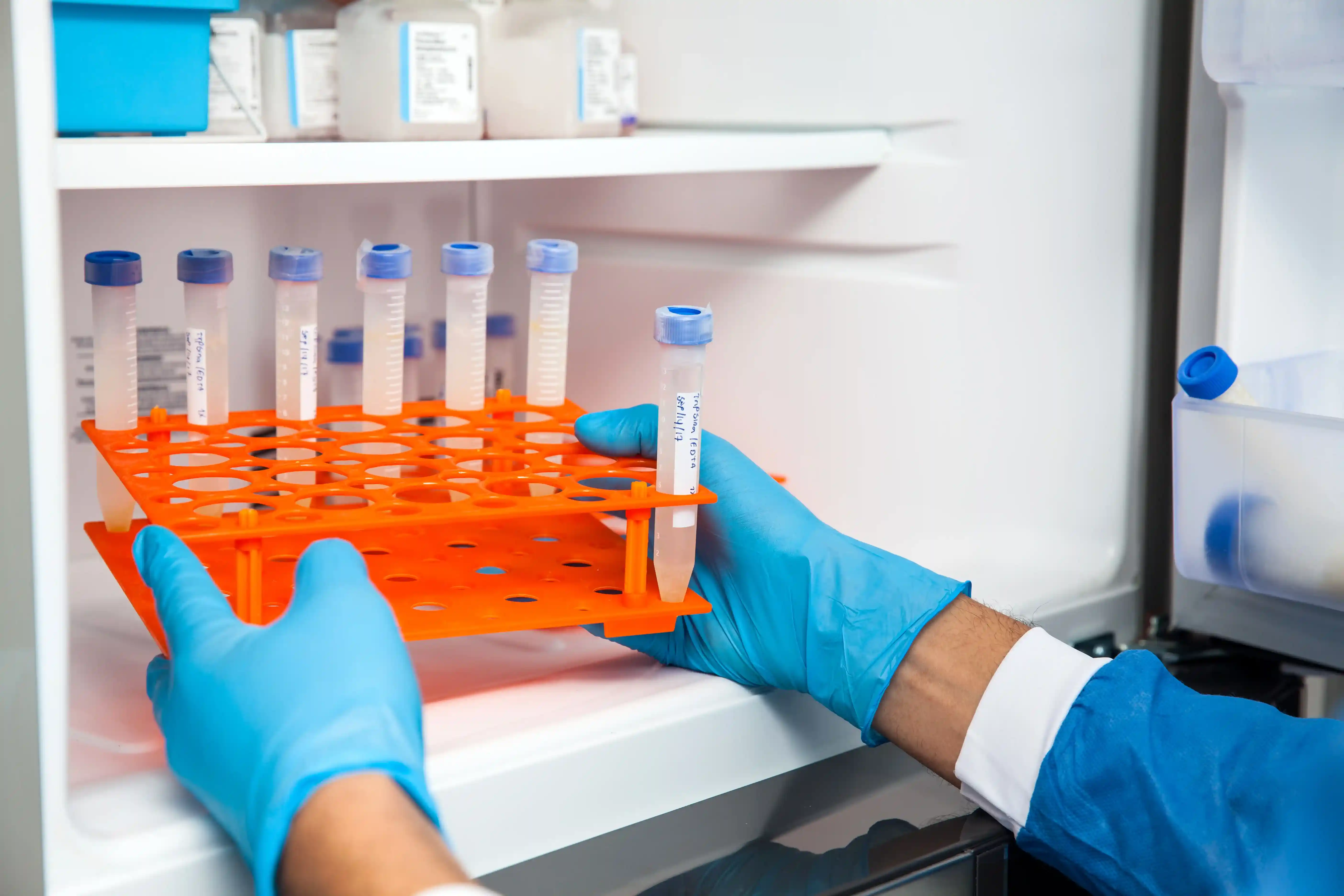

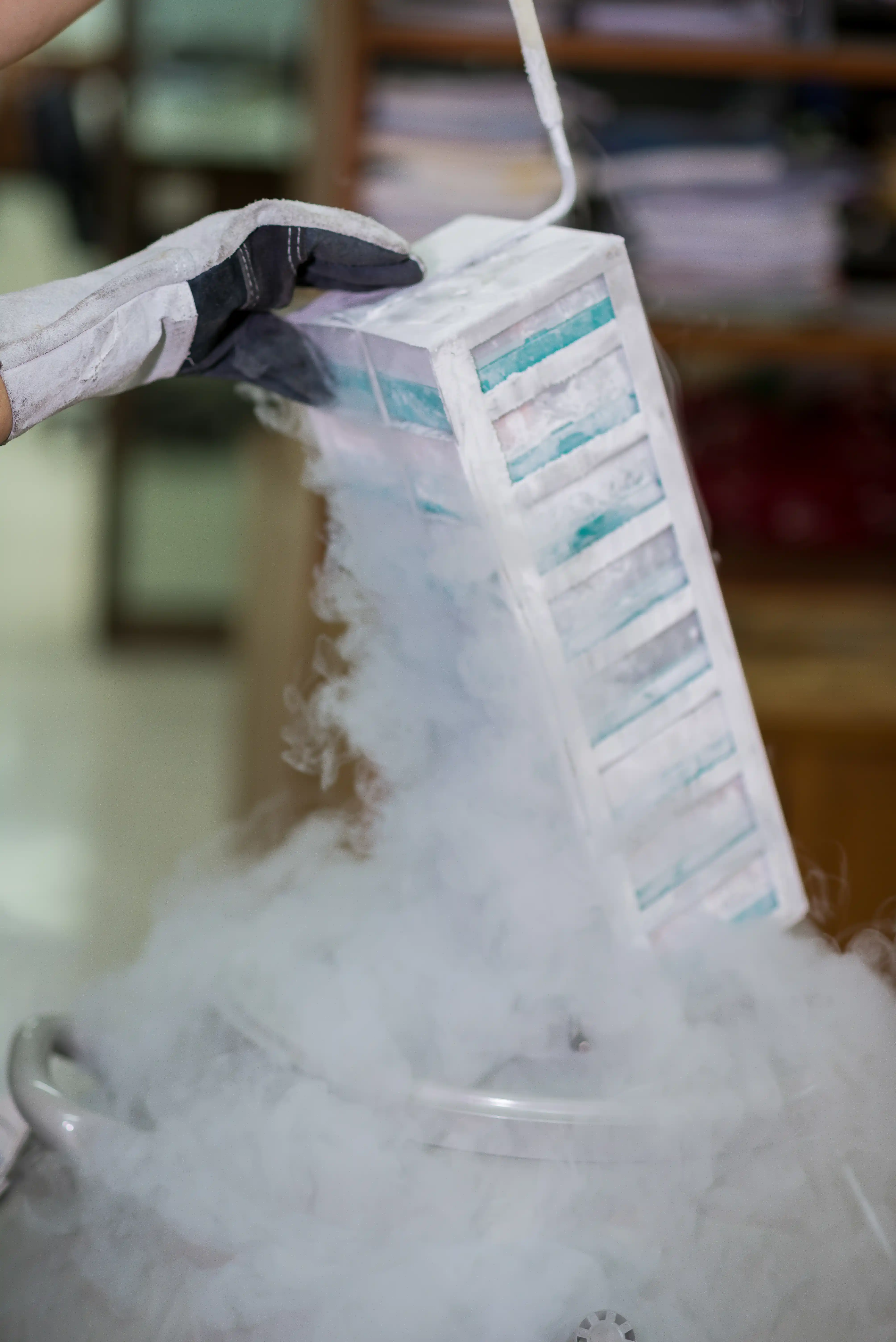


Easily customize repositories, sample types, and storage hierarchies to match your workflow - no coding or support needed. As your research evolves, IGOR adapts with you, keeping your inventory organized and aligned with your team’s needs.
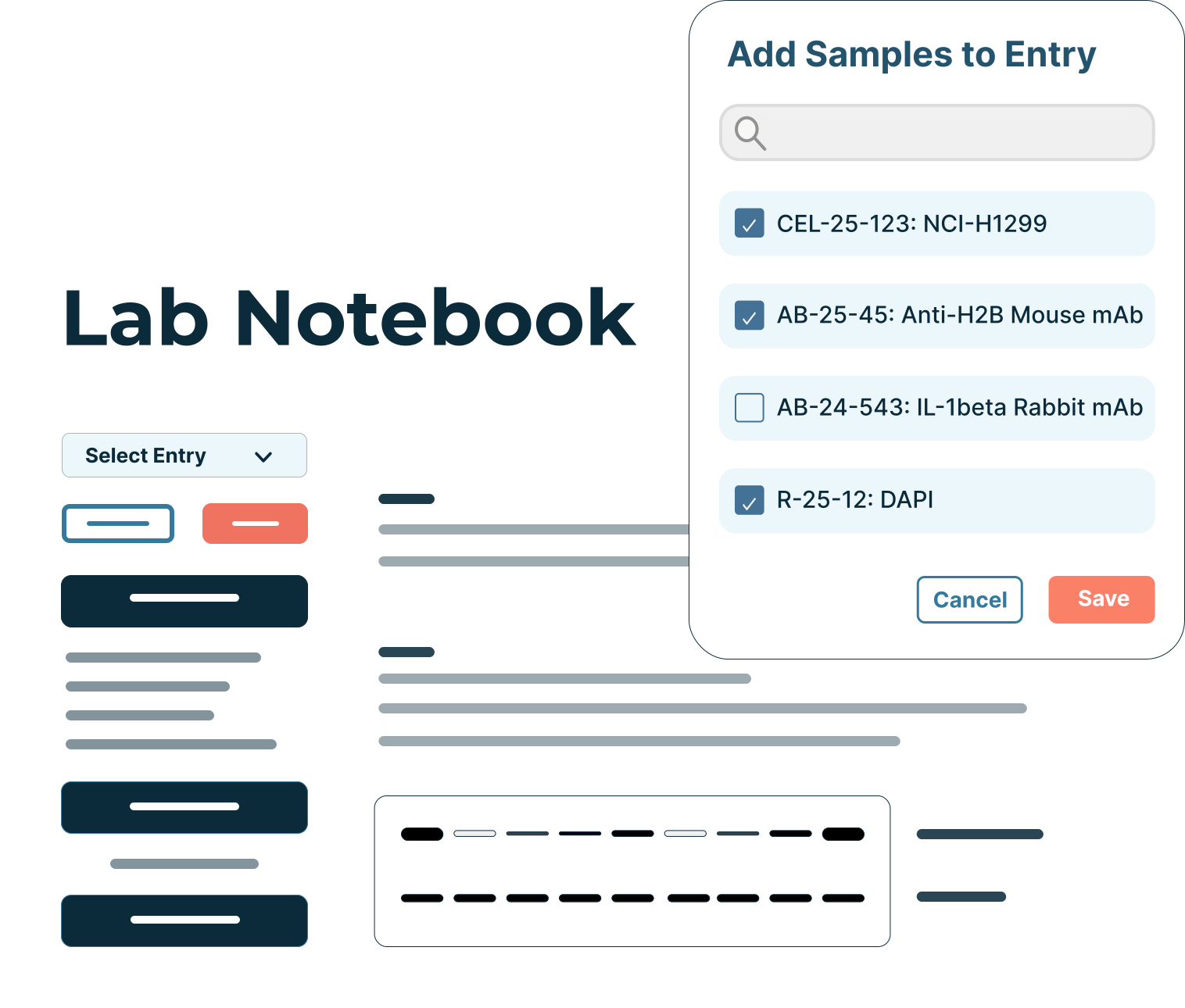
IGOR connects your Electronic Lab Notebook and Inventory Management System to give every experiment full context. From materials and protocols used, to results and interpretation, each entry brings your work together in one clear, connected record.

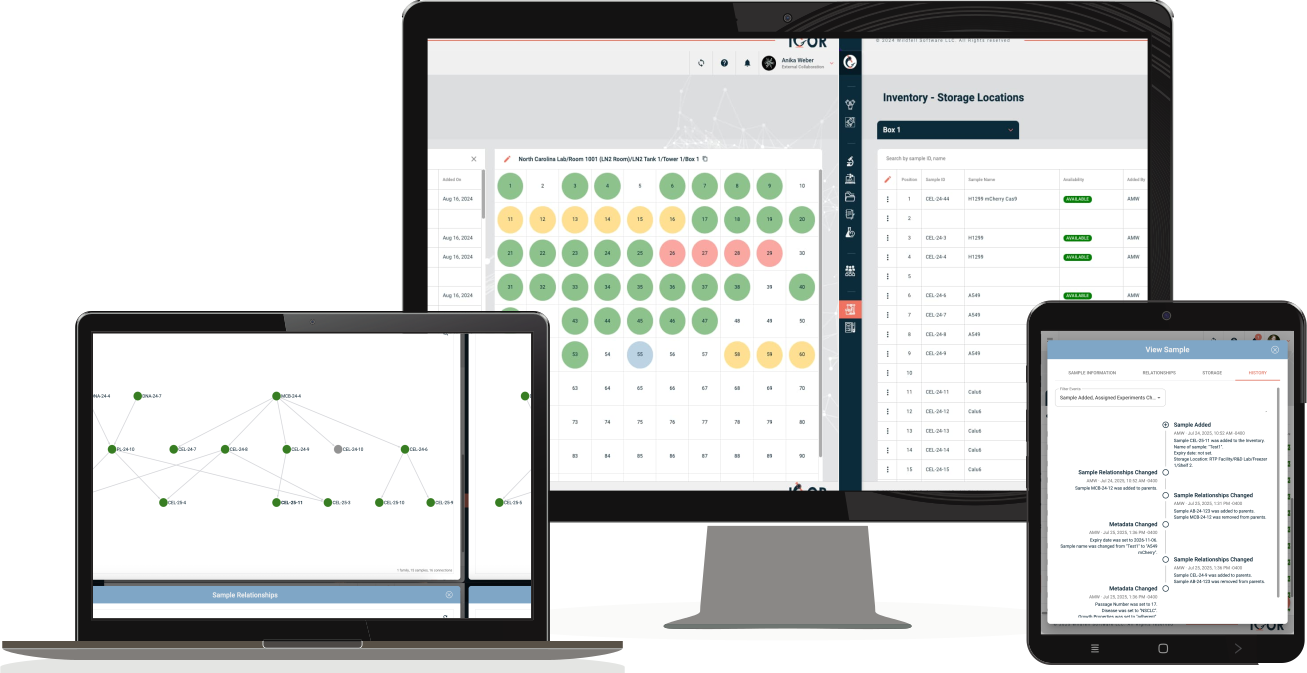
IGOR’s inventory is more than a spreadsheet replacement. It brings complex LIMS capabilities to an intuitive design. Every item’s record - metadata, history, location, and related samples - is just a click away, so you can find what you need in seconds.
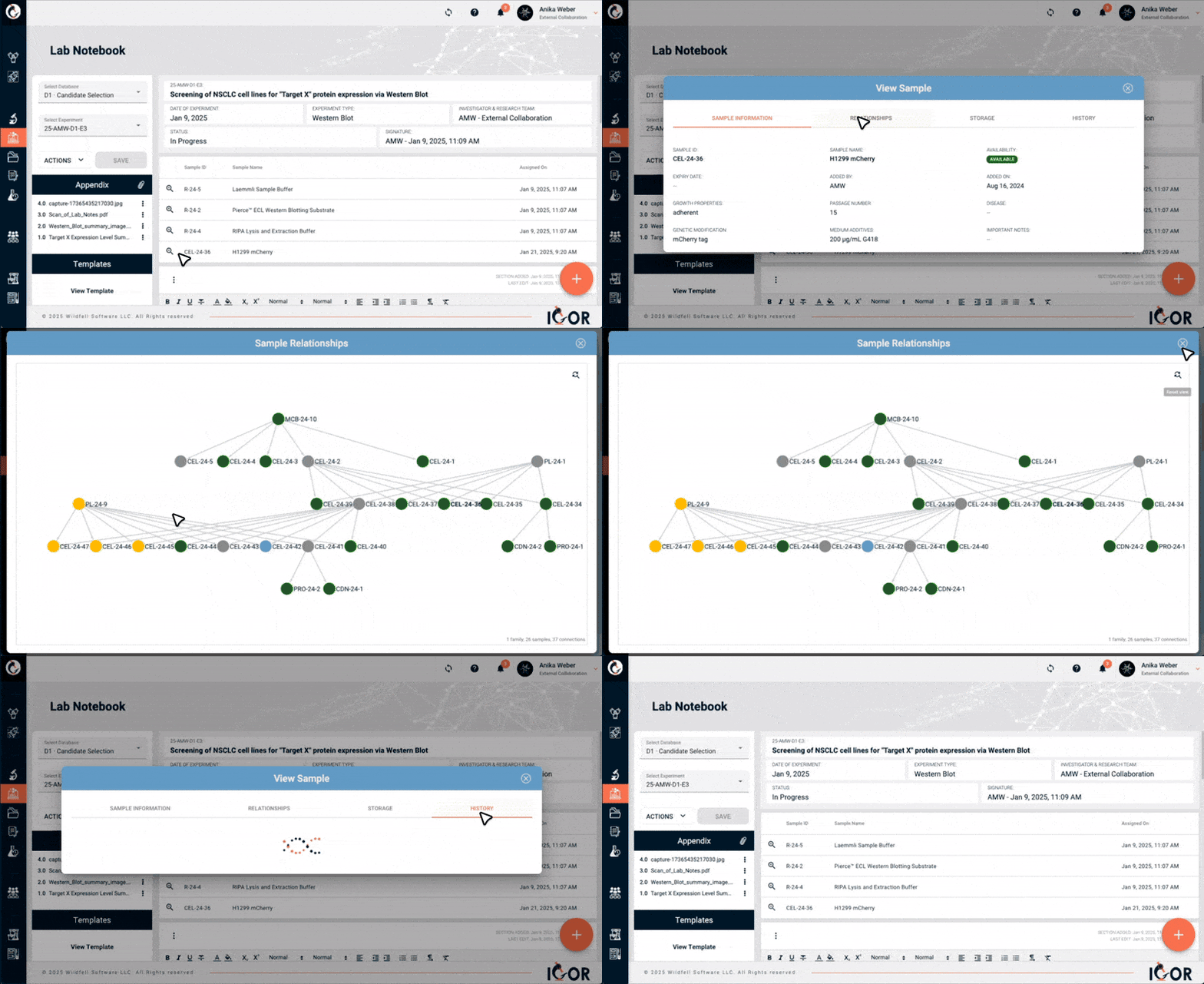
IGOR's integrated electronic lab notebook connects experiments to your inventory. Link samples, reagents, and materials directly to notebook entries to track usage, explore sample relationships, and view detailed histories - all within a single, intuitive interface. Instantly access which experiments used a reagent or sample, monitor availability, and maintain seamless traceability throughout your research.
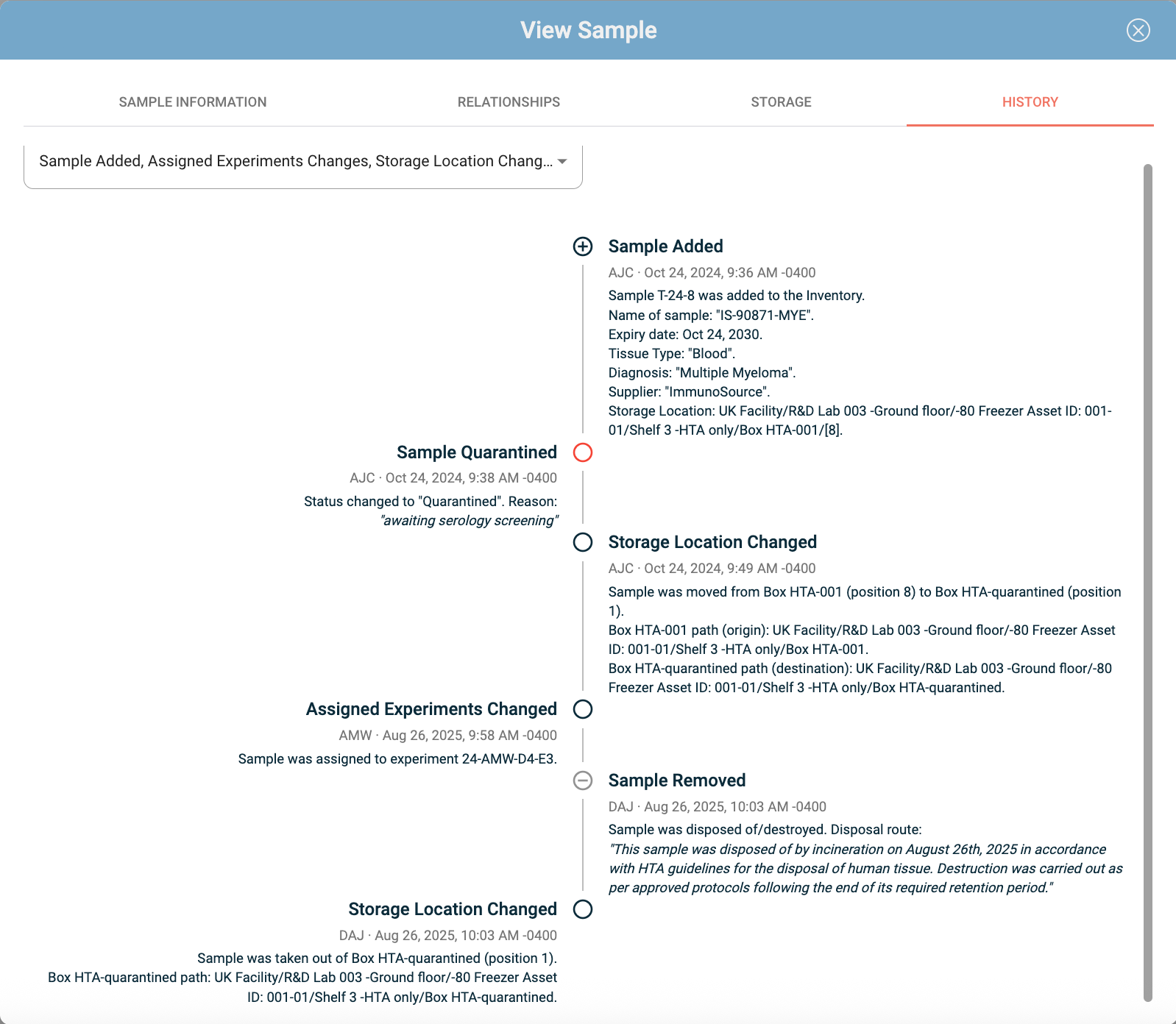
Discover IGOR's ELN ❯Working with hazardous, infectious, or sensitive samples requires more than a spreadsheet - it requires end-to-end traceability. IGOR captures every movement and usage of your materials, from storage changes and cross-facility transfers to the exact experiments they were used in.
With a complete audit trail at your fingertips, you’ll always know:

Where materials are stored.
Where they've been.
Who used them.
What they were used for.
And how they are related to each other.

IGOR’s interactive family tree view brings your sample relationships to life. Easily link related samples to track their lineage across generations, departments, or projects. Simply double-click any sample to instantly access its complete record - including history, metadata, and linked experiments. Everything you need is right at your fingertips.
Every lab organizes materials differently. With IGOR, you can design repositories that fit your exact workflows - whether you’re tracking reagents, biospecimen, or engineered constructs - you can build exactly the categories and metadata fields you need.
Everything is editable through an intuitive user interface. Admins can control who’s allowed to make changes via role-based permissions, so your inventory structure stays clean and consistent across teams.

Custom data input fields and item categories.
Controlled editing via user roles and permissions.
Simple no-code setup and customization.
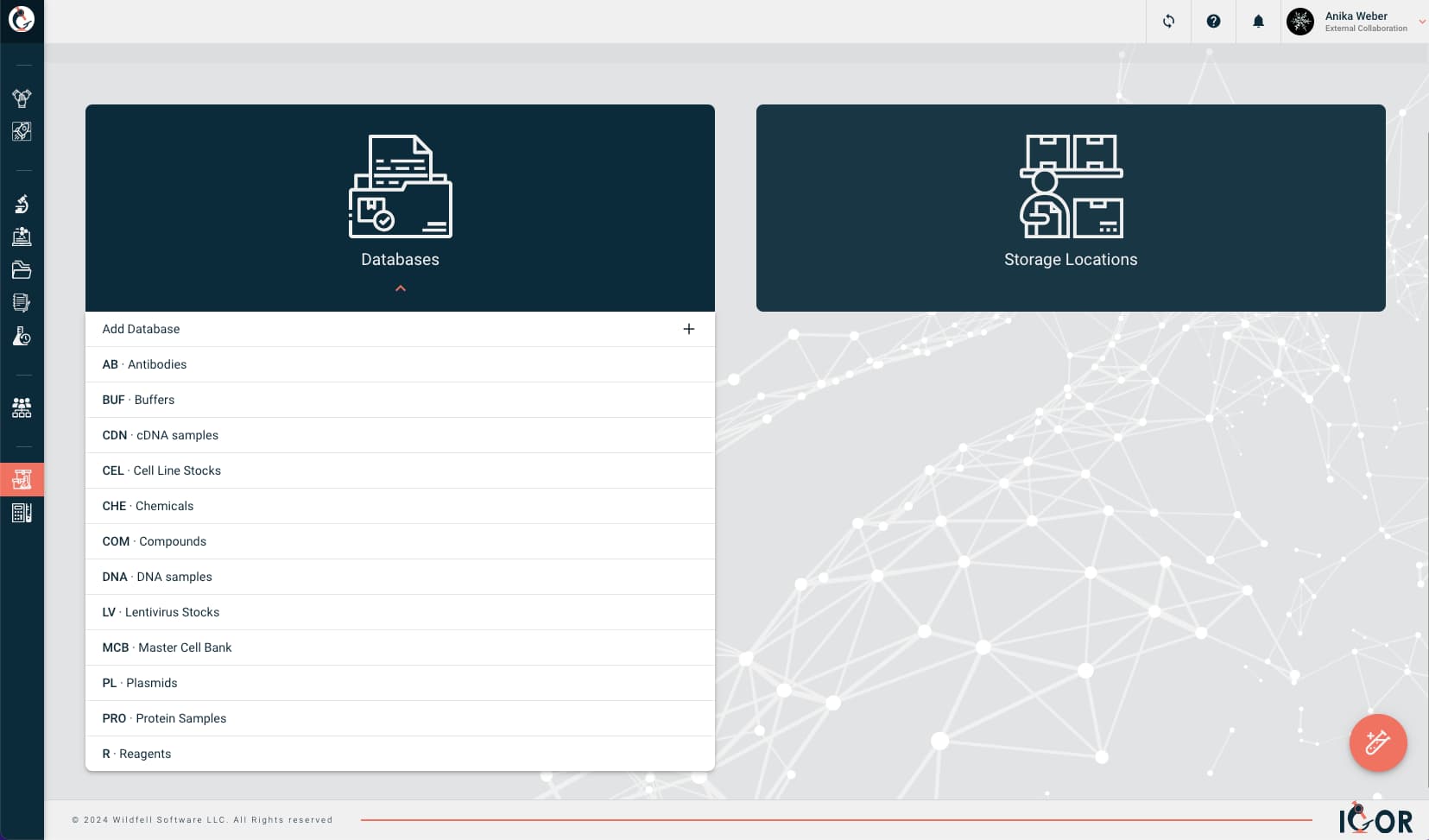
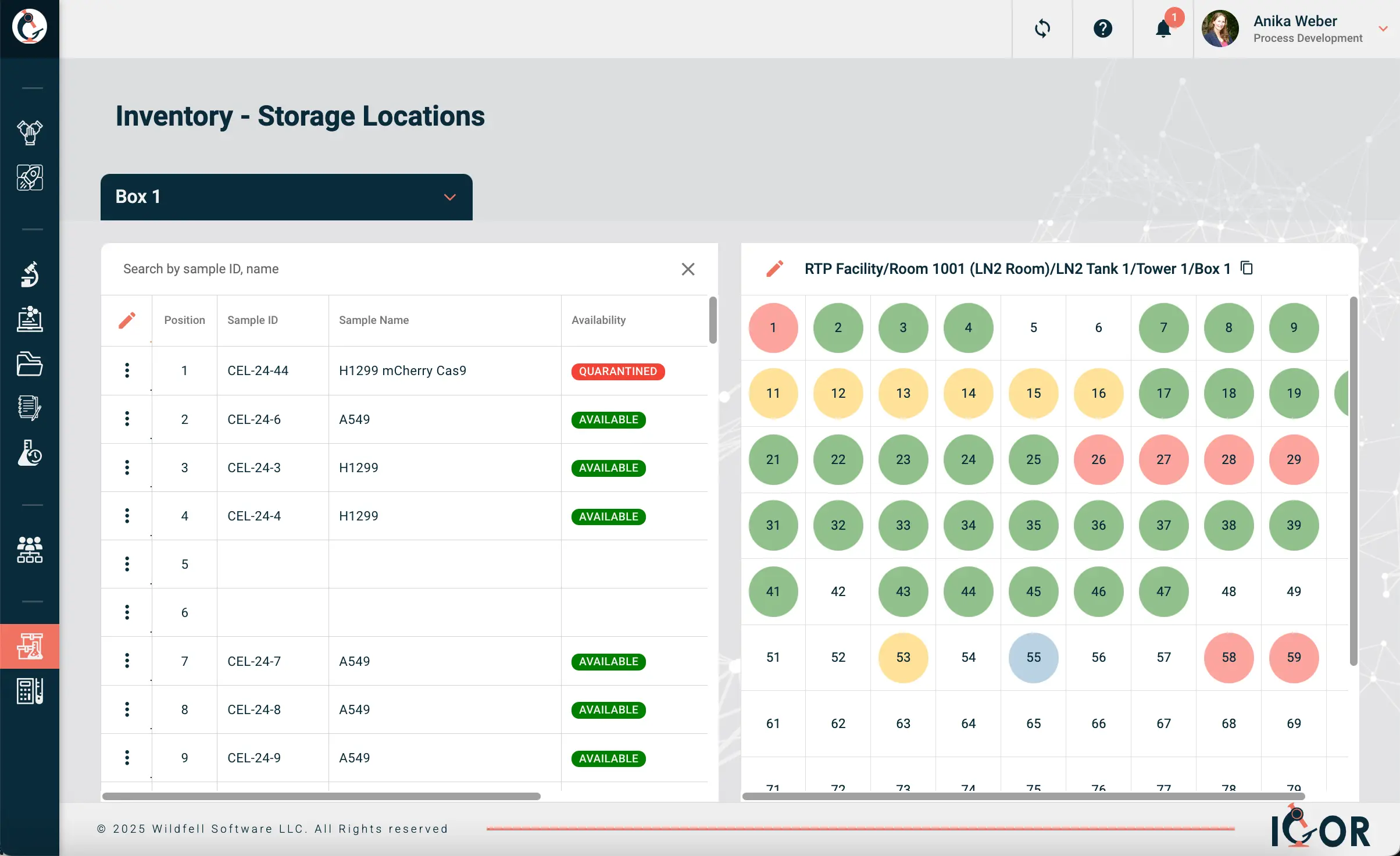
With IGOR, you can create a digital representation of your entire lab’s storage - from benches and freezers to rooms, warehouses, and facilities. Build customizable storage locations that mirror your real-world setup, and use interactive maps to instantly see what’s stored where. Identify available space at a glance, manage capacity efficiently, and stay organized no matter how large your lab network grows.
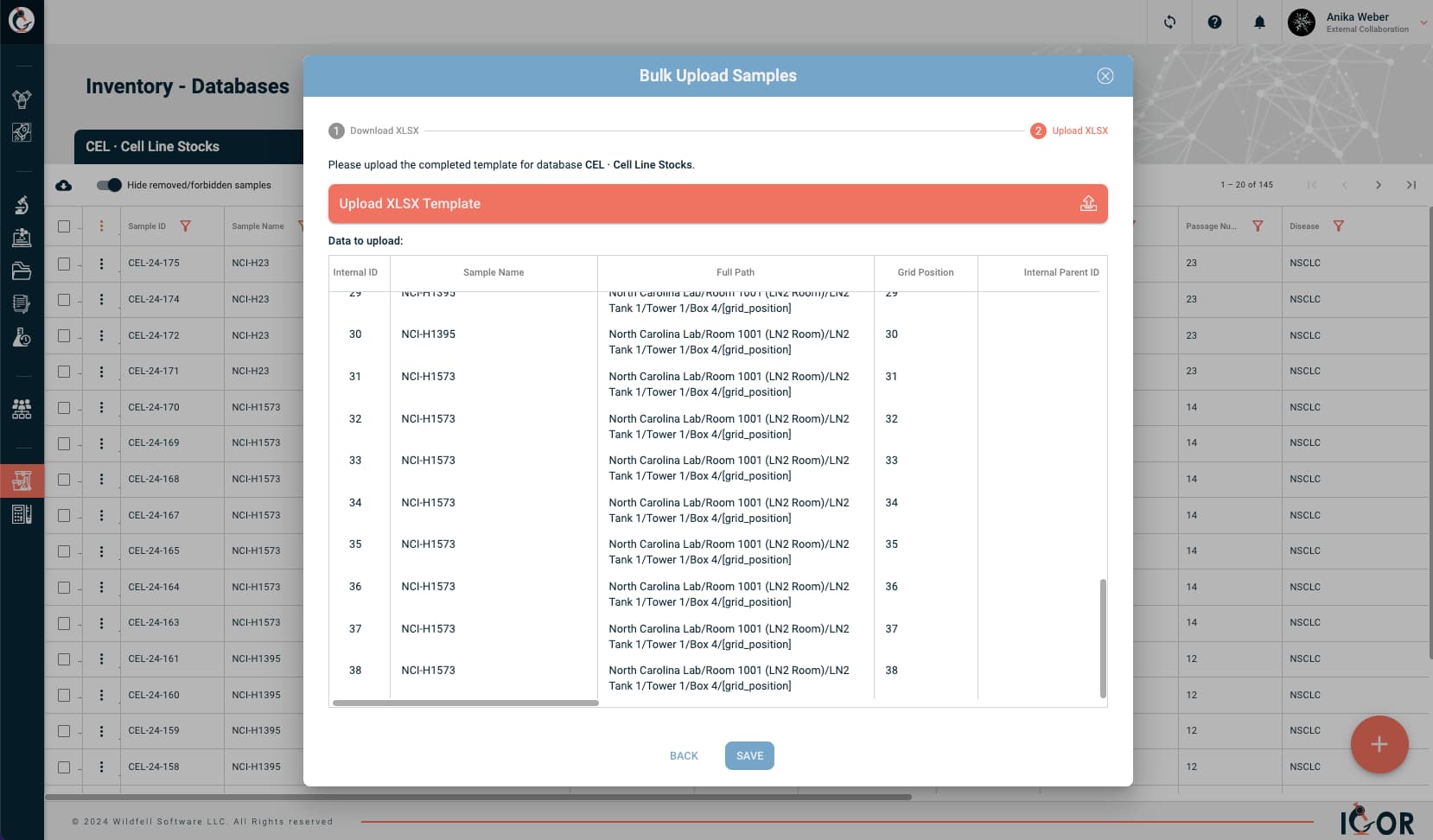
Switching over from another inventory system, or got a lot of samples to add? No problem! Use bulk uploads to import your existing records - complete with categories, metadata, and storage details - so you can start working right away without losing valuable information.

ELN Integration
Assign samples to your experiments for full traceability & easy access.

Flexible Repositories
Organize inventory items in fully customizable repositories to fit your lab’s specific needs.

Full Sample History
Easily track a complete history of all sample activities, from creation to removal.

Relationship Tracking
Visualize sample relationships with an intuitive, interactive family tree viewer.

Custom Storage Locations
Fully customizable storage locations let you create a digital twin of your storage spaces.

Storage Maps
Quickly find inventory items with intuitive storage maps, or review contents by location.

Sample Availability
Easily track sample and reagent availability and reserve them for specific projects.

Fast & Easy Setup
Optimized for quick setup, user-performed customization, and seamless implementation.

Bulk Actions
Save time with bulk sample uploads and multi-sample actions.
Explore how IGOR keeps your research data and materials organized, traceable, and seamlessly connected.
These two terms get used interchangeably a lot, but they're not the same thing - though the line between them is increasingly blurry.
A LIMS (Laboratory Information Management System) is primarily sample-centric. It's designed to track the flow of samples, reagents, and materials through structured, repeatable workflows - things like storage locations, chain of custody, availability, and usage history. LIMS tend to work best in environments with high sample volumes and standardized processes, like QC labs, clinical diagnostics, or manufacturing.
An ELN (Electronic Lab Notebook) is experiment-centric. It's where you document what you did, why you did it, and what you found - along with protocols, data files, and observations. ELNs are more flexible by design, suited to the unstructured, evolving nature of R&D work.
In practice, most research labs need elements of both, which is why many modern platforms are starting to combine them. IGOR integrates ELN and LIMS functionality in a single system, so your experiment records and inventory data are connected from the start, rather than living in separate tools that need to be stitched together.

Absolutely! IGOR is well-suited for use as a biospecimen tracking software. You can create detailed records for each sample, including its type, source, collection date, and storage location, and easily search or filter them when needed. Each biospecimen can be linked to experiments, projects, or collaborators, giving your team full visibility into how samples are used over time and who handles them.
Because IGOR combines ELN and LIMS capabilities, it doesn’t just track where a biospecimen is stored - it also maintains a complete usage history, shows relationships between derived samples, and connects those samples directly to the data and results they generate. This makes it easier to maintain traceability, comply with regulatory standards, and ensure consistent data quality across your research.
It depends on the platform. Many ELNs don't include inventory management at all, and those that do often treat it as a separate module with limited connection to the notebook itself - you can track what you have, but linking a specific sample or reagent lot to the experiment it was used in requires manual workarounds, if it's possible at all.
IGOR is built differently. Inventory and the ELN are genuinely integrated, so you can assign samples and reagents directly to experiment entries. That means you can trace exactly which materials were used in a given experiment, follow a sample's complete history across projects, and see which experiments any item has been linked to - all from a single interface. When a result doesn't replicate or an audit comes around, that kind of traceability makes a huge difference.
Most labs reach a point where spreadsheets stop working; usually when someone updates a file in one place but not another, or when a sample goes missing and nobody can trace what happened to it. If that sounds familiar, the good news is that migrating to a dedicated system is usually less painful than people expect.
The main things to sort out upfront are: what data you need to bring across (sample IDs, metadata, storage locations, quantity), what format it's currently in, and how much cleaning it needs before it can be imported. Most modern inventory systems, including IGOR, support bulk uploads via spreadsheet templates, so you can import existing records - including categories, metadata, and storage details - without having to re-enter everything by hand.
The honest caveat is that the messier your existing data, the more time the cleanup takes. But that cleanup is worth doing regardless of which system you move to, because garbage in means garbage out. Our team is also happy to help you structure the import so you can get up and running quickly.
Start with your actual workflows, not the feature list. The most important thing is that scientists will actually use it; a system that's clunky or over-engineered for your needs will get abandoned, regardless of how many boxes it ticks on paper.
A few questions worth answering before you evaluate options: Does your lab do primarily R&D, or are you running standardized, high-volume workflows? If it's R&D, you want something flexible enough to accommodate evolving sample types and project structures. Does traceability matter? (do you need to connect samples back to specific experiments, or just know where things are stored?) What are your compliance requirements? (do you need audit trails, access controls, and e-signatures?) And critically: can scientists set up and customize the system themselves, or does it require IT or vendor support every time you need to make a change?
Finally, don't overlook the basics. Can scientists easily log samples in and out? And just as importantly: if someone makes a mistake, like logging a sample as consumed when it wasn't, can they fix it quickly without jumping through hoops? Errors happen in any lab, and your team should be able to correct them without bureaucratic friction, while still maintaining a clear audit trail of what changed and when. It might surprise you, but this is something a lot of LIMS systems genuinely fall short on. It's worth testing these everyday scenarios during any evaluation, not just the headline features.