
IGOR ensures your research data stays organized, secure, and easily accessible, so your team can find, share, and build on each other's work.
IGOR’s Electronic Lab Notebook (ELN) centralizes notes, results, files, and SOPs in one searchable workspace. Use templates and required fields to standardize entries, add metadata for powerful filters, and link samples and reagents for full context.
Built-in version history, permissions, and e-signatures keep records compliant, audit-ready, and easy to share.
That means reliable documentation, end-to-end traceability, and faster reviews - so your team can make important research decisions with confidence.


Why separate your lab inventory from the rest of your research workflow?
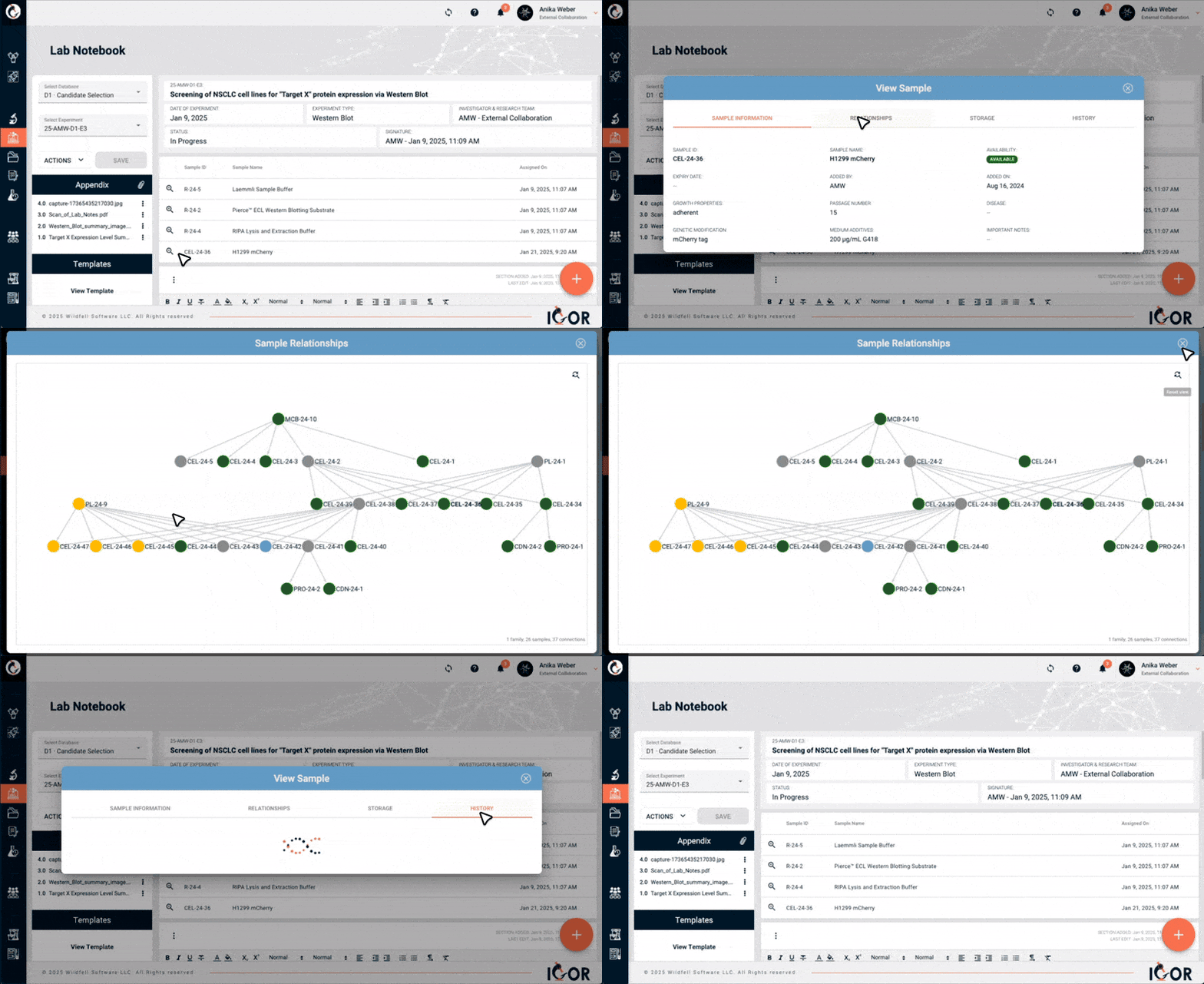
IGOR’s electronic lab notebook is connected to its lab inventory management system, creating a direct connection between your experiments and your lab’s inventory. This makes it simple to link samples, reagents, and other materials directly to your notebook entries.
From one place, you can trace how your samples and reagents are used, follow their relationships across experiments, and check what’s in stock. Every material’s history is right there when you need it.
Scientific ideas move quickly. Your documentation should keep up. IGOR’s ELN is designed to save researchers hours every week by making experiment tracking simple, searchable, and reproducible. No more lost details, scattered files, or chasing down the latest version - everything is structured, linked, and accessible in one place.

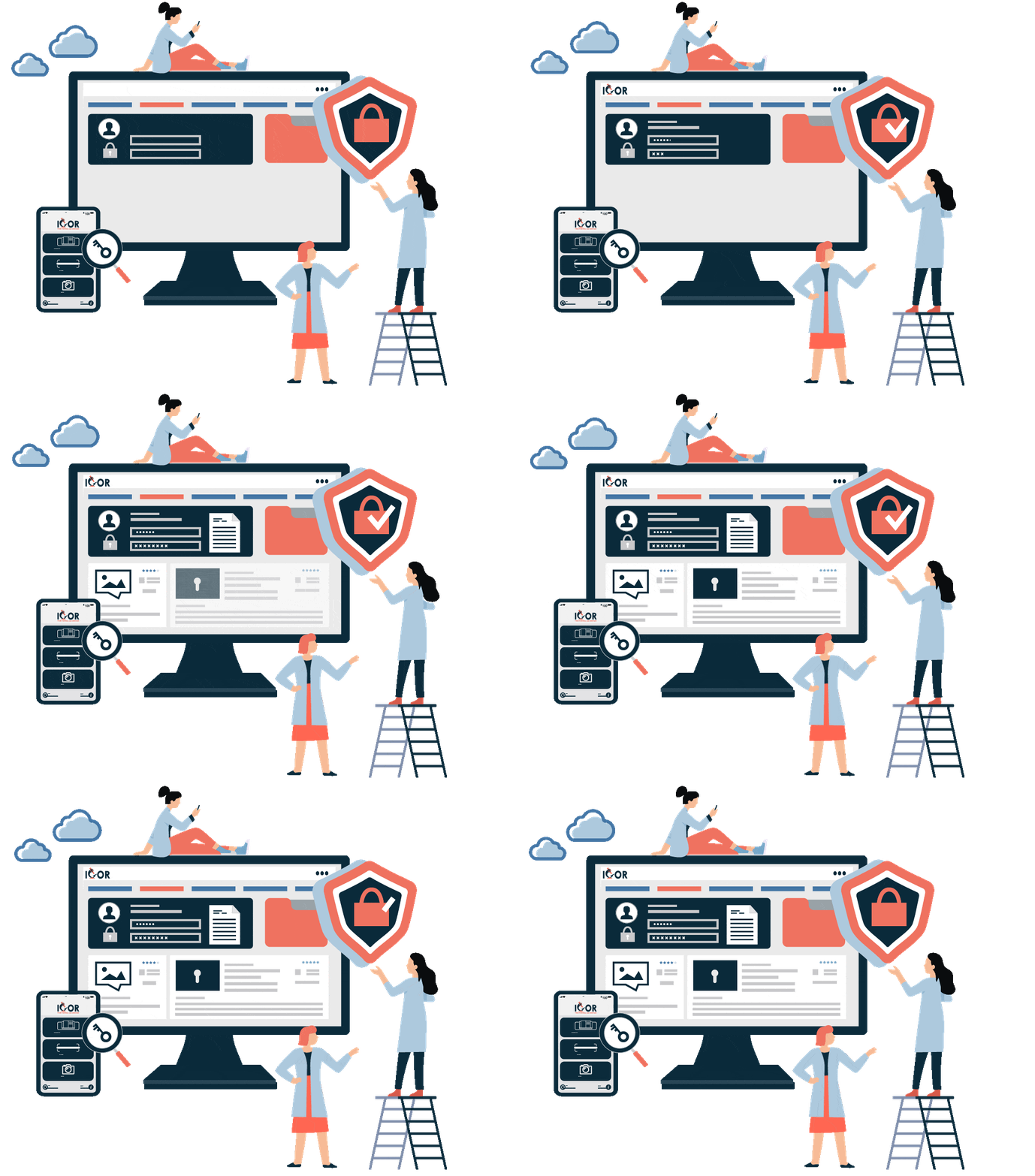
IGOR brings transparency and control to your research data management. Every edit, update, or revision of your lab notebook entries is automatically logged in a secure, computer-generated, time-stamped audit trail, providing a detailed version history that you can trust.
Mistakes happen - but with IGOR, they don’t have to slow you down. Whether you’ve accidentally deleted a file or overwritten important details, you can quickly view, restore, or audit previous versions of notebook entries, templates, protocols, or data files.
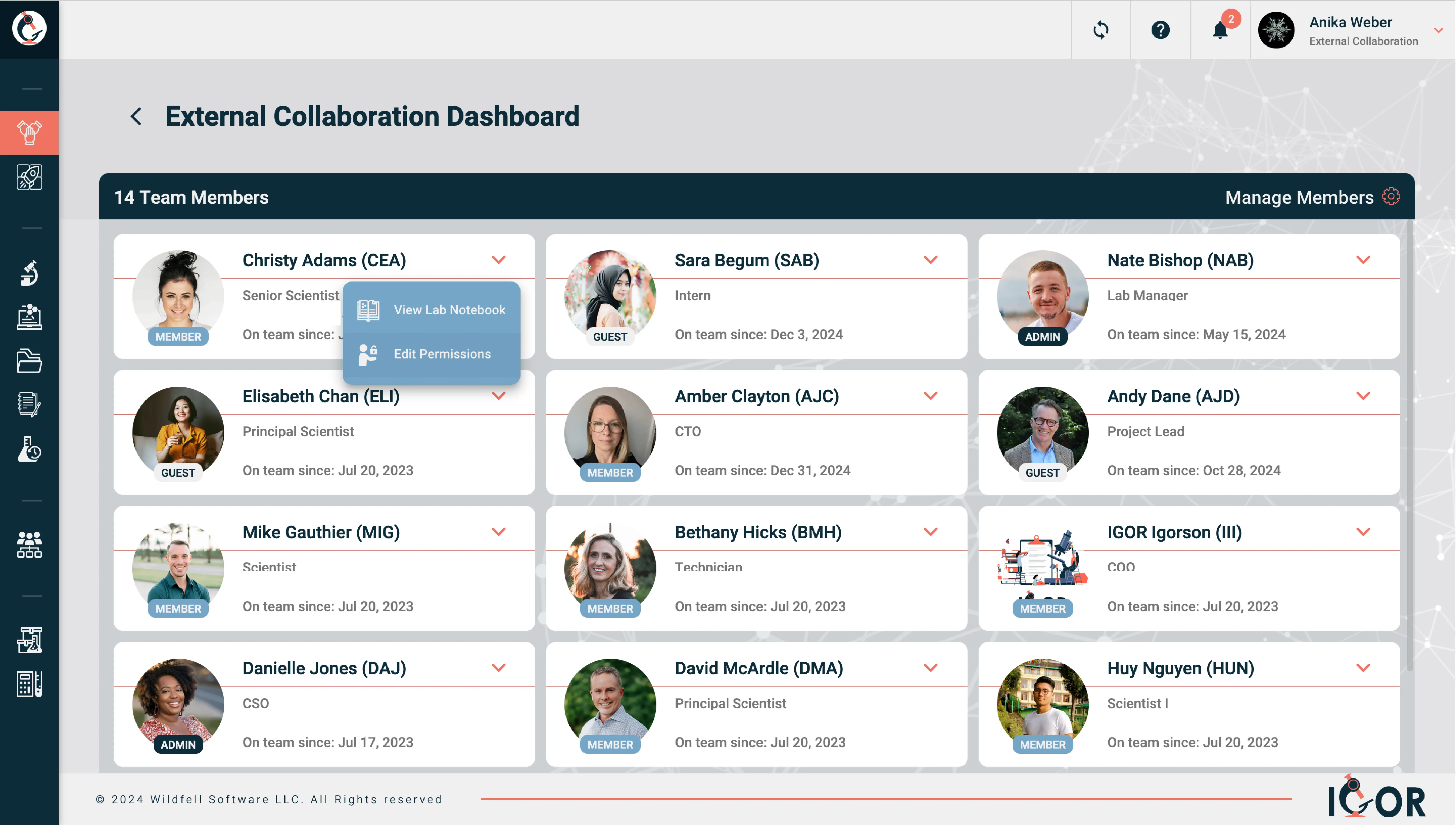
With IGOR’s advanced role- and permission-based access controls, team admins can customize access levels to fit the needs of your lab.
Whether it’s allowing or restricting access to research data, associated files, inventory repositories, or essential team SOPs and templates, you can ensure that each team member has the appropriate permissions for their role. This adaptable system safeguards sensitive data while allowing your team to work confidently and securely within their designated responsibilities.
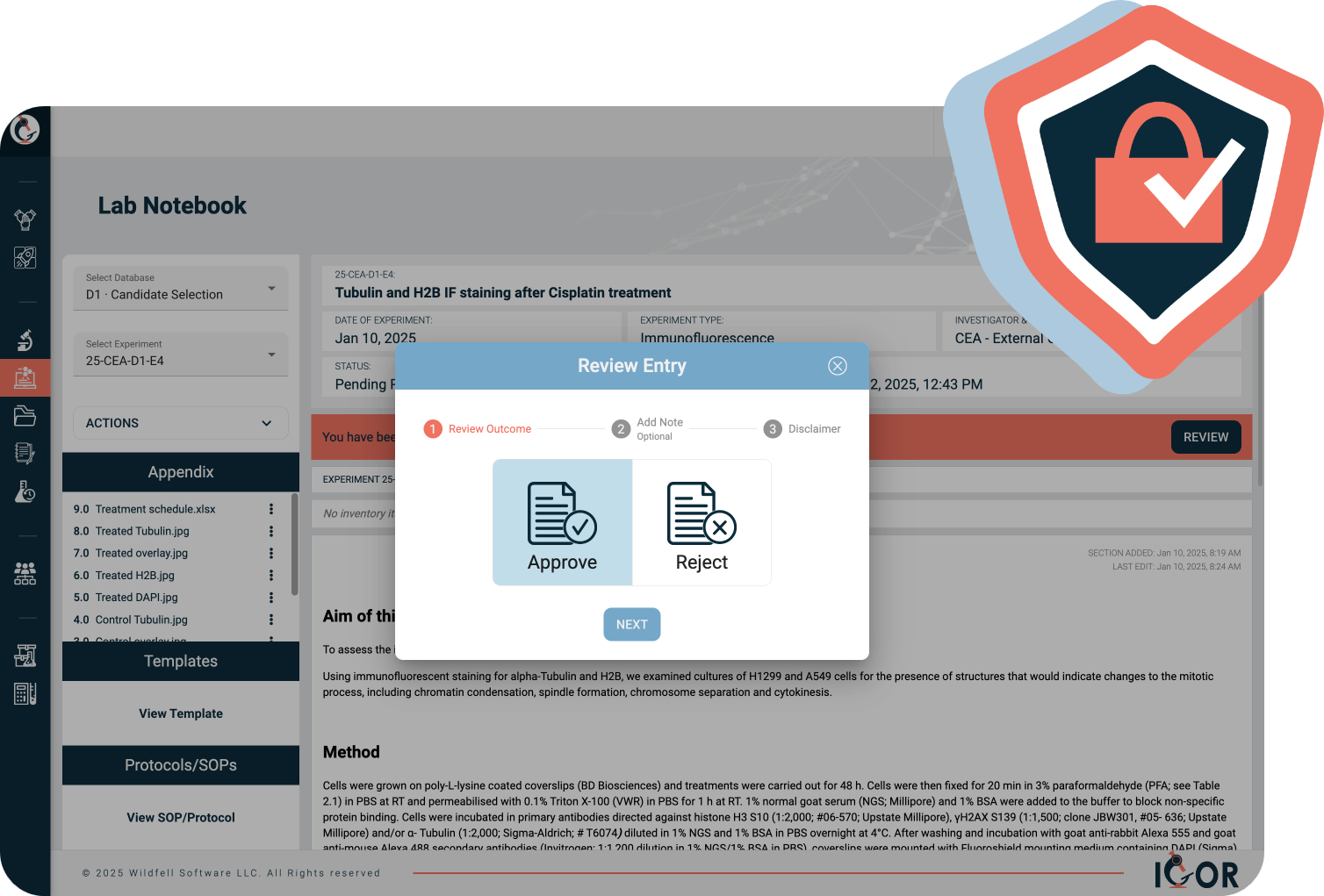
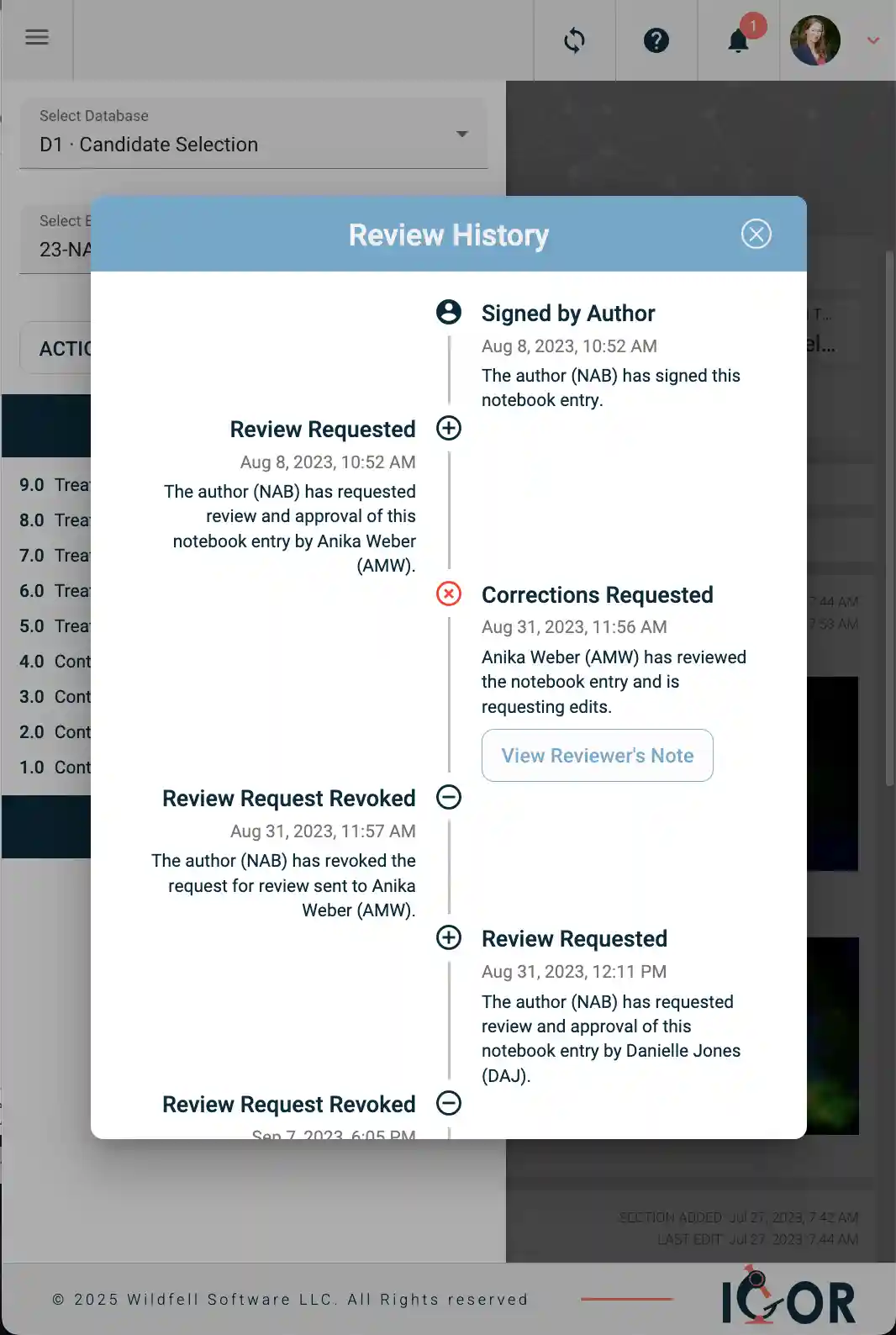
IGOR’s electronic signature workflows build quality assurance into your research process. Team members can easily review and witness each other’s work, adding their electronic signatures, compliant with 21 CFR Part 11, to confirm accuracy and compliance. Each signature is accompanied by the witness's name, a secure timestamp, and any additional notes to the author, creating a complete audit trail that supports traceability and accountability.
Once a notebook entry is witnessed, it is locked to prevent further editing, ensuring the integrity of your documentation and meeting strict regulatory requirements.
But what happens if an error is found after an entry is locked? IGOR provides a compliant solution - allowing corrections to be made while preserving the original entry and maintaining a clear, auditable record of all changes. This balance of security and flexibility ensures your lab's workflows remain efficient and trustworthy.

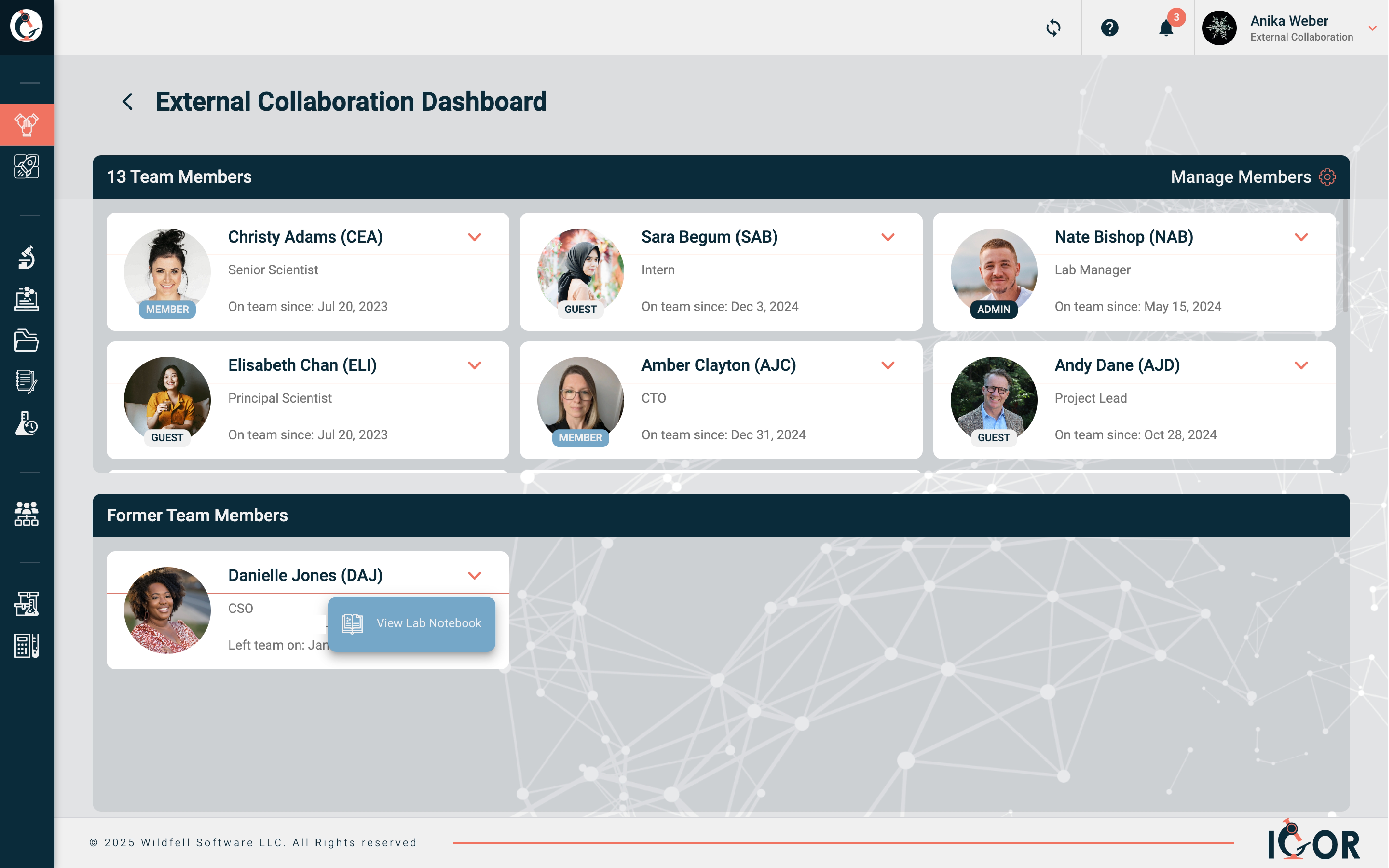
Finding historic research data and its surrounding context, including samples and experimental conditions, is one of the biggest time sinks for research teams.
With IGOR, your team’s knowledge stays intact across personnel changes, project transitions, and multi-year timelines, so your team can build on past discoveries without skipping a beat.
Whether someone left last month or years ago, their work is still there, clearly organized and easy to search and navigate. Your team can quickly find what was done and how results were generated, without digging through shared drives, old notebooks, or half-remembered folder structures.
With IGOR, you can export your notebook entries as well-presented PDF reports at any time. Without additional effort, PDF exports of your notebook entries will look professional.
No more ugly floating footnotes or cut-off images!
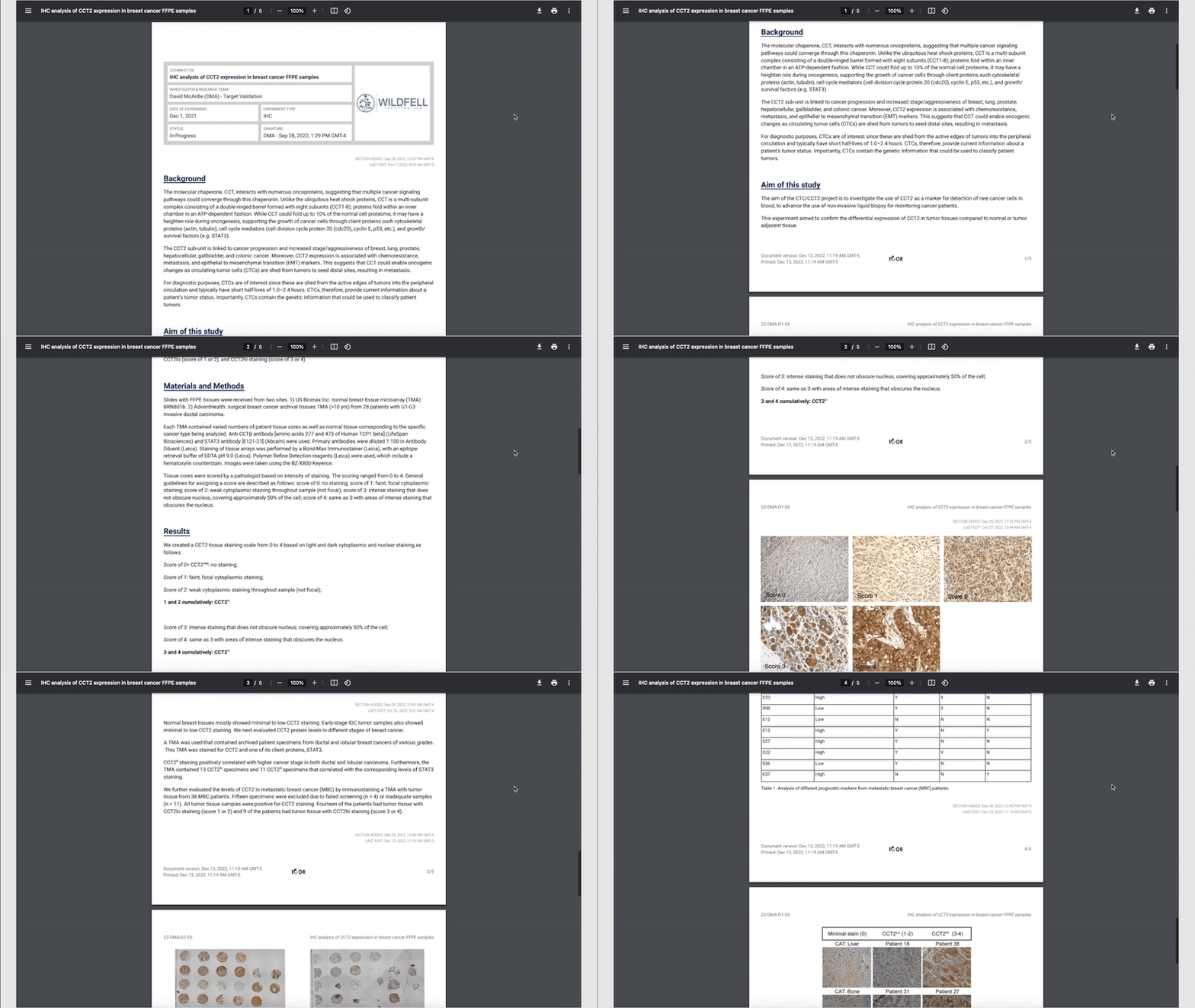
Upload any file type, import Excel data, add image galleries, and link directly to samples or reagents from your inventory.

Built-in version control, electronic signatures, and time-stamped audit trails support your audits.

Find past work in seconds with structured fields, filters, and custom, yet standardized metadata tags for reliable data capture.
Explore how IGOR keeps your research data and materials organized, traceable, and connected.
Before getting drawn into feature comparisons, it helps to get clear on a few fundamentals first. Is the system genuinely easy to use for bench scientists - not just for IT or lab managers? Can your team customize it without needing outside help? What happens to the data when someone leaves? And is the pricing transparent enough that you can predict what you'll actually pay as the team grows?
Once you've got those answers, the main things most labs end up weighing are: ease of adoption (a system nobody uses because it's frustrating to navigate provides no value, no matter how many features it has); customization (can each team configure its own templates and workspace without raising a support ticket?); compliance (if you're working in a regulated environment, you need proper audit trails, version control, and electronic signatures compliant with 21 CFR Part 11 - confirm these are actually built in, not just listed as features); inventory integration (many ELNs treat inventory as an afterthought, a separate module with little connection to the notebook. If tracing samples and reagents back to the exact experiments they were used in matters to your work, look for a platform where ELN and inventory were designed together from the start); and data ownership (make sure institutional data stays accessible after team members leave).
One practical tip: ask for a demo built around your own workflow, and involve the people who will use it at the bench every day. How quickly scientists actually adopt it in practice is a far better signal than any feature checklist.

It depends on your team size, your regulatory environment, how fast you're growing, and how much complexity you can realistically manage.
That said, a few things matter for most biotech teams regardless of stage: the platform needs proper audit trails and 21 CFR Part 11-compliant e-signatures if you're working in a GxP environment; experimental records and inventory data should be connected, not siloed in separate systems; and it should be something bench scientists can actually pick up and use without weeks of training.
Larger platforms like Benchling or Dotmatics are powerful, but they come with significant cost and implementation complexity - generally a better fit for well-resourced teams that need advanced instrument integrations or AI tools. For biotech startups and growing teams that need rigorous documentation and compliance without a dedicated informatics team to maintain the system, simpler platforms tend to work better in practice. IGOR, for example, gets most teams up and running within days or a couple of weeks, depending on team size, with integrated ELN and inventory management, transparent per-user pricing, and no-code customization that scientists can manage themselves - without IT involvement.
The honest truth is that the best ELN is the one your team actually uses. A platform with every feature on the checklist is worthless if scientists find it frustrating to navigate day-to-day. When evaluating options, pay as much attention to ease of adoption and customization as you do to feature depth - they're not always the same thing.
It depends on the ELN you're using, but generally speaking: Yes. Most modern electronic lab notebooks, including IGOR, are cloud-based - which means you can securely access your data from anywhere with an internet connection.
Remote access also makes collaboration easier. Team members at different locations can work on the same project, share updates, and review data without emailing files or managing version conflicts.
That depends on the system you’re using. Many electronic lab notebooks either don’t include inventory management at all, or offer a basic version added as an afterthought. These often lack flexibility for customization, or any real connection between your inventory data and experimental records.
IGOR, however, is one of the few ELNs designed with fully integrated inventory management and sample tracking built in from the start. You can link samples, reagents, and consumables directly to experiments, trace how they’re connected or derived from one another, and see the full story of your research, from the materials that went in to the results that came out.
That really depends on the system, and it’s worth asking each vendor to explain their data encryption, backup, and overall security setup in detail.
Most modern ELNs - IGOR included - are hosted on secure cloud infrastructure such as Amazon Web Services (AWS). AWS is widely used across healthcare, biotech, and other regulated industries, and provides multiple layers of protection including network monitoring, intrusion detection, and redundancy across geographically distributed data centers.
By building on this foundation, ELN providers can take advantage of AWS’s industry-leading security features - such as strong encryption in transit and at rest, automated backups, geographic redundancy, and role-based access controls - to help protect research data from unauthorized access or loss.
Compared to traditional on-premise setups that rely on local servers and manual backups, a cloud-based system typically offers greater resilience and reliability. Backups and monitoring run automatically, disaster recovery systems are built in, and the infrastructure scales easily as your lab’s data grows - without the need to buy or maintain new hardware.
Customization varies enormously across ELN platforms, and it's one of the most underestimated things to evaluate. Some systems offer very little flexibility. Others can be customized extensively, but require IT involvement or paid vendor support even for minor changes - which adds cost and creates bottlenecks that slow your team down.
The practical question isn't just "can this be customized?" but "who can actually do it, how quickly, and does it cost extra?" When scientists have to raise a support ticket every time they want to adjust a metadata field or create a new template, adoption suffers, and the system starts working against your team rather than for it. This is especially common in ELNs that force all teams into a single shared workspace, where one group's changes can affect everyone else.
The better approach is a system where each team can configure its own workspace independently - setting up metadata fields, building templates, and managing permissions without IT or vendor involvement. IGOR is built around exactly this principle: scientists can customize their own workspace from day one, without coding or extra fees, and each team operates independently without disrupting anyone else.
When evaluating any ELN, ask vendors directly: which parts of the system can scientists configure themselves? Can teams work independently of each other? And is customization included in the license? Getting clear answers upfront will save a lot of frustration down the line.
When it comes to research documentation, standardization is key, and it's harder to enforce than it sounds. Scientists on the same team often develop their own naming conventions and filing habits without realizing it. Over time, that inconsistency makes it genuinely difficult to search past work, reproduce experiments, or hand off a project to someone else.
A few habits make a real difference: agree on a consistent naming convention for experiments and use it across the whole team; use structured metadata fields (assay type, cell line, treatment, date) rather than burying that information in free text; and attach raw data, analysis outputs, and protocol versions directly to the relevant experiment entry rather than in a separate shared drive folder that may or may not survive a server migration.
Template standardization is also worth the upfront effort. When your team uses shared templates for recurring assay types, everyone captures the same key information in the same format - which makes it far easier to find, compare, and build on past experiments, especially months or years later. And wherever possible, link samples and reagents from inventory directly to your notebook entries. That connection between what you used and what you found is often the thing that saves you when a result doesn't replicate.
Yes, digital lab notebooks are already widely used in both academic and industrial research, though often for slightly different reasons.
In academic settings, an ELN helps standardize how data and experiments are documented across teams with varying levels of experience and training. It keeps research organized and consistent, even as students graduate, postdocs move on, or projects change hands - making it much easier to maintain research continuity and traceability over time.
In industry, ELNs serve many of the same purposes but with added focus on data integrity, IP protection, security, and compliance. Features like audit trails, document versioning, user permissions, and electronic signatures help meet standards such as GLP and FDA 21 CFR Part 11.
IGOR supports both worlds. It offers the structure and compliance tools required by regulated industries, while remaining flexible, simple, and easy to use for academic research teams.